
MT5 UtilityManual-trading assistant
Trade Manager — One-Click Trading Panel with Risk-Based Lots
Trade discretionarily — fast, and disciplined.
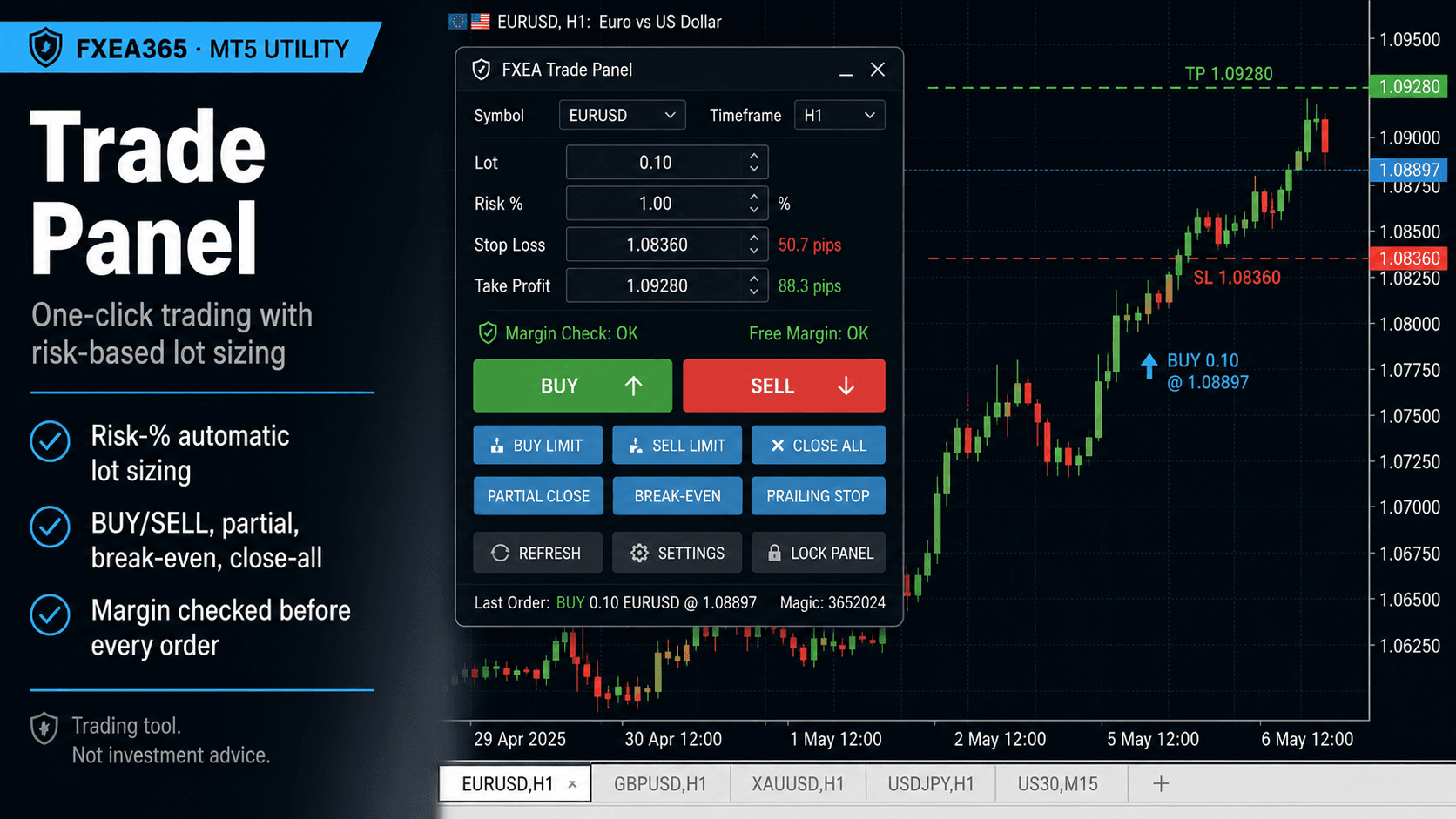
Trade Manager is an on-chart panel for discretionary trading. Open and manage trades with a single click, size every order by risk, and let the panel handle stops, break-even, partial closes and trailing. Margin is checked before every order.
What it does
- ✓One-click BUY/SELL with SL/TP placed automatically in pips
- ✓Risk-% lot sizing (or fixed lot)
- ✓Lot auto-clamped to broker limits + margin checked before order
- ✓CLOSE ALL / CLOSE PROFIT / CLOSE LOSS / PARTIAL 50%
- ✓BREAK-EVEN all and a trailing-stop toggle
- ✓Shows balance, equity, positions, floating P/L and next-order lot
Free download (account registration)
Free once you register your broker account at fxea365.com (the EA runs only on the registered account). The MQL5 Market edition below is a no-registration rent/buy option.
Key inputs
| Input | Description |
|---|---|
| InpRiskBased / InpRiskPct / InpFixedLot | Position sizing (risk % / fixed) |
| InpMaxLotCap | Hard cap per order |
| InpDefaultSLpips / InpDefaultTPpips | Default SL/TP (editable on the panel) |
| InpMagic / InpManageOnlyOwn | Which positions the panel controls |
| InpTrailPips | Trailing distance for the TRAIL toggle |
| InpBEtriggerPips / InpBEoffsetPips | Break-even trigger and locked offset |
Setup
- 1Attach to the chart of the symbol you want to trade.
- 2Set risk % (or fixed lot), default SL/TP, and your max lot cap.
- 3Keep AutoTrading enabled and use the panel buttons.
Note
Orders are sent to your broker and are subject to slippage, gaps, and execution rules. Not investment advice.
Related tools