
MT5 UtilityDoes not trade
Account Protector — Equity Guardian for Any EA or Manual
Protects your whole account the moment your rules are breached.
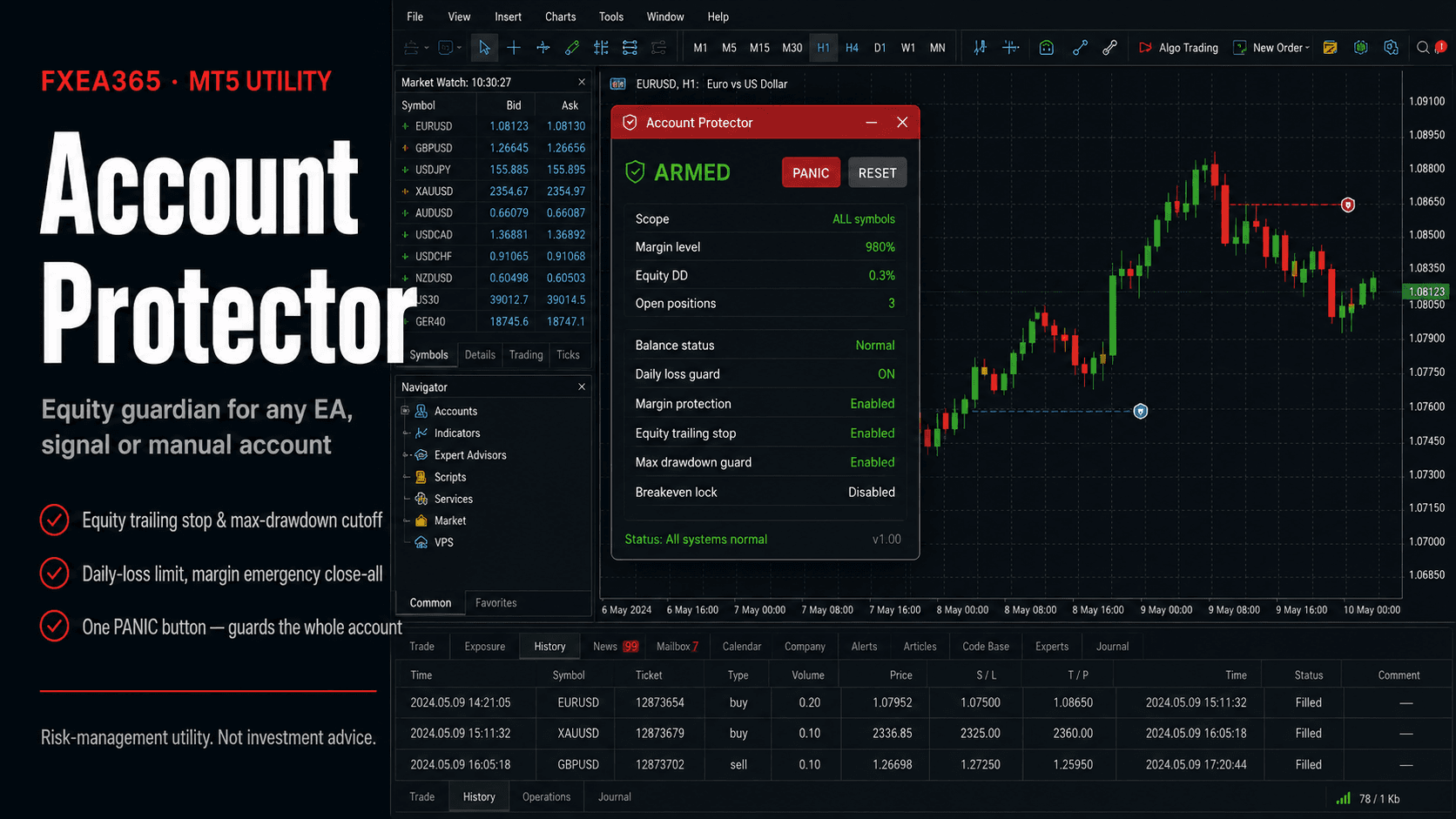
Account Protector is a pure risk-management tool that does not trade. Attach it to one chart and it watches your whole account, stepping in when your rules are breached — no matter which EA, signal, or manual order produced the positions. One protector covers everything on the account.
What it protects against
- ✓Equity trailing stop: close all if equity falls a set % below its peak, locking in profit
- ✓Max drawdown / margin-level emergency close (before a stop-out)
- ✓Daily loss limit and consecutive-loss pause (clears next day)
- ✓Profit target: close all at a set % daily gain to bank profit
- ✓Weekend flat and high-impact news pause (optional close)
- ✓On-chart panel + PANIC/RESET buttons, push/email/webhook alerts
Free download (account registration)
Free once you register your broker account at fxea365.com (the EA runs only on the registered account). The MQL5 Market edition below is a no-registration rent/buy option.
Key inputs
| Input | Description |
|---|---|
| InpAllSymbols / InpMagicFilter | Scope of protection (whole account / chart symbol, magic) |
| InpUseEquityTrail / InpEquityTrailPct | Equity trailing stop (% below peak) |
| InpUseMaxDD / InpMaxDDPct | Maximum drawdown (% below peak balance) |
| InpUseDailyLoss / InpDailyLossPct | Daily loss limit (halt for the day, optional close) |
| InpUseMarginStop / InpMarginLevelPct | Margin-level emergency close-all |
| InpUseProfitTarget / InpUseNewsStop, etc. | Profit target, consecutive loss, weekend, news, alerts |
Setup
- 1Attach to a single chart of any symbol (a quiet timeframe like M5/M15 is fine).
- 2Enable the guards you want. For multi-EA accounts set scope to ALL symbols, magic 0.
- 3Keep AutoTrading enabled so the tool can close positions.
Note
It cannot prevent slippage, gaps, or broker outages; it acts on the prices and account state your terminal receives. Not investment advice.
Related tools