
MT5 UtilityCalendar-driven
News Filter — High-Impact News Auto-Pause for Your EAs
Automatically silences your EAs around high-impact events.
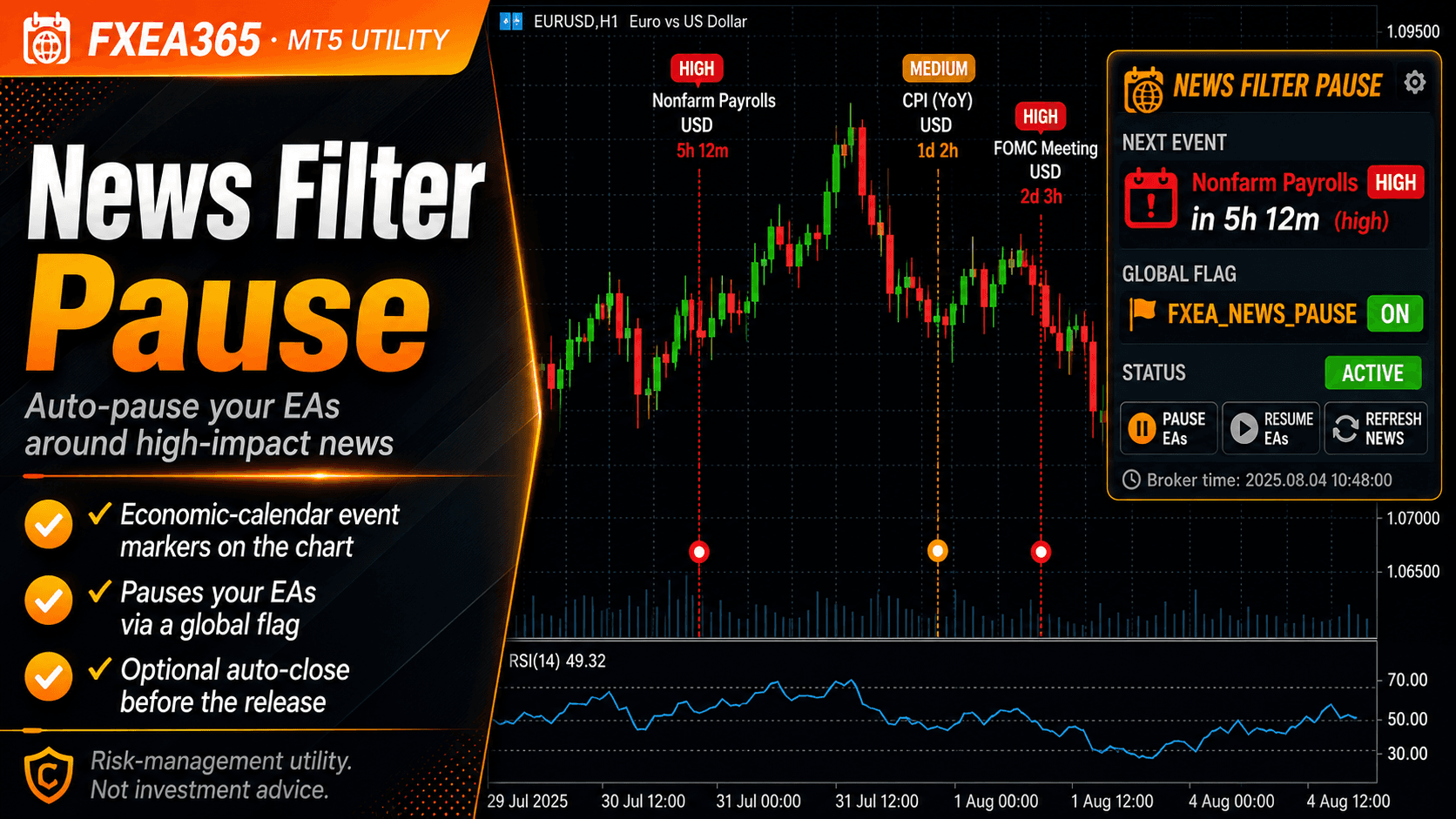
News Filter is a utility built on the MT5 economic calendar. It marks upcoming high-impact events, counts down to the next one, raises a flag your own EAs can read to pause during the window, and can close positions for you.
What it does
- ✓Vertical markers for upcoming events, color-coded by importance
- ✓Countdown to the next event with currency and importance
- ✓Pause flag (Global Variable FXEA_NEWS_PAUSE) for your own EAs
- ✓Optionally close positions during the window (all/current, magic)
- ✓Pre-alert via push/email/webhook before the window starts
- ✓Configurable currencies, minimum importance, before/after minutes
Free download (account registration)
Free once you register your broker account at fxea365.com (the EA runs only on the registered account). The MQL5 Market edition below is a no-registration rent/buy option.
Key inputs
| Input | Description |
|---|---|
| InpMinImportance / InpCurrencies | Which events to watch (importance, currencies) |
| InpBeforeMin / InpAfterMin | Pause window around each event (minutes) |
| InpSetGlobalFlag / InpFlagName | The pause flag your EAs read |
| InpClosePositions / InpAllSymbols | Optional close behaviour and scope |
| InpDrawMarkers / InpMarkerDays | Chart markers |
| InpPreAlertMin and alert settings | Pre-alert push/email/webhook |
Setup
- 1Attach to one chart; it covers all the currencies you list.
- 2Add one line to your EAs to read the Global Variable, or use optional close.
- 3For webhook alerts, add the URL to the terminal's allowed-URL list.
Note
Depends on the MT5 economic calendar delivered by your broker (unsupported brokers excluded). The calendar is unavailable in the Strategy Tester, so this is for live use.
Related tools