
Exness — account opening guide and review
Updated: May 20, 2026
- ✓XAUUSD spread at industry-lowest levels
- ✓Instant withdrawals (24/7)
- ✓Zero-cut (no margin call)
- ✓Unlimited leverage (Pro accounts)
- ✓Full MT5 support, EA auto trading OK
- ✓Regulated by FCA, CySEC, and others
Open an Account with Exness
Low spread, unlimited leverage, for advanced traders
⚠ For Existing Exness Account Holders (FXEA365 Referral Only)
※ This guide is only for users who opened their Exness account through FXEA365's referral link. If you haven't registered yet or signed up through a different channel, please open a new account using the button above (partner code: m6d0s2u1e2 is applied automatically). If you see a partner code field when creating an additional account, enter m6d0s2u1e2. Accounts that cannot be verified as affiliated will not be able to use our EAs.
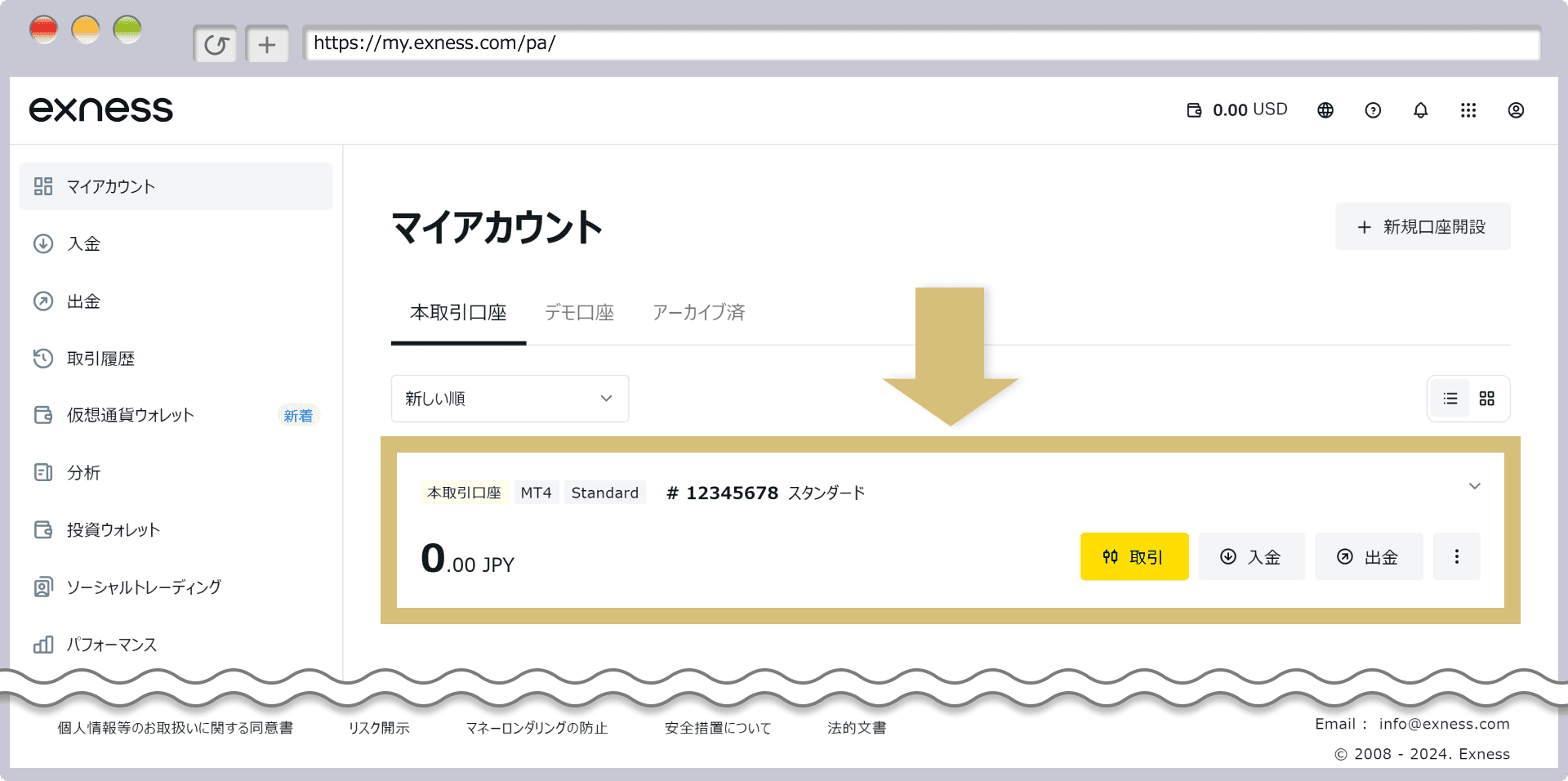
- 1Log in to Exness personal area → Click 'Add Account'
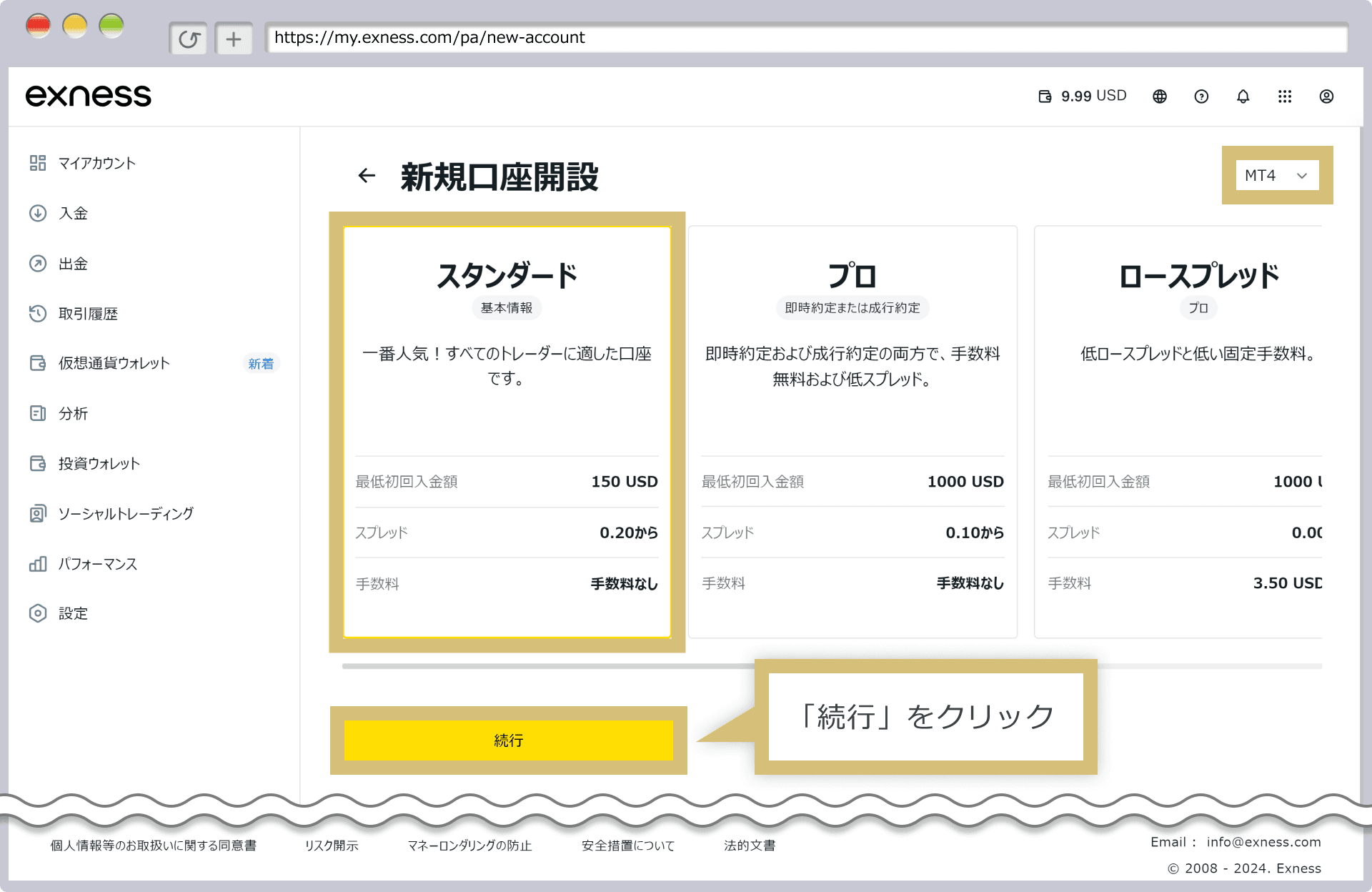
- 2Select 'MT5 Real Account'
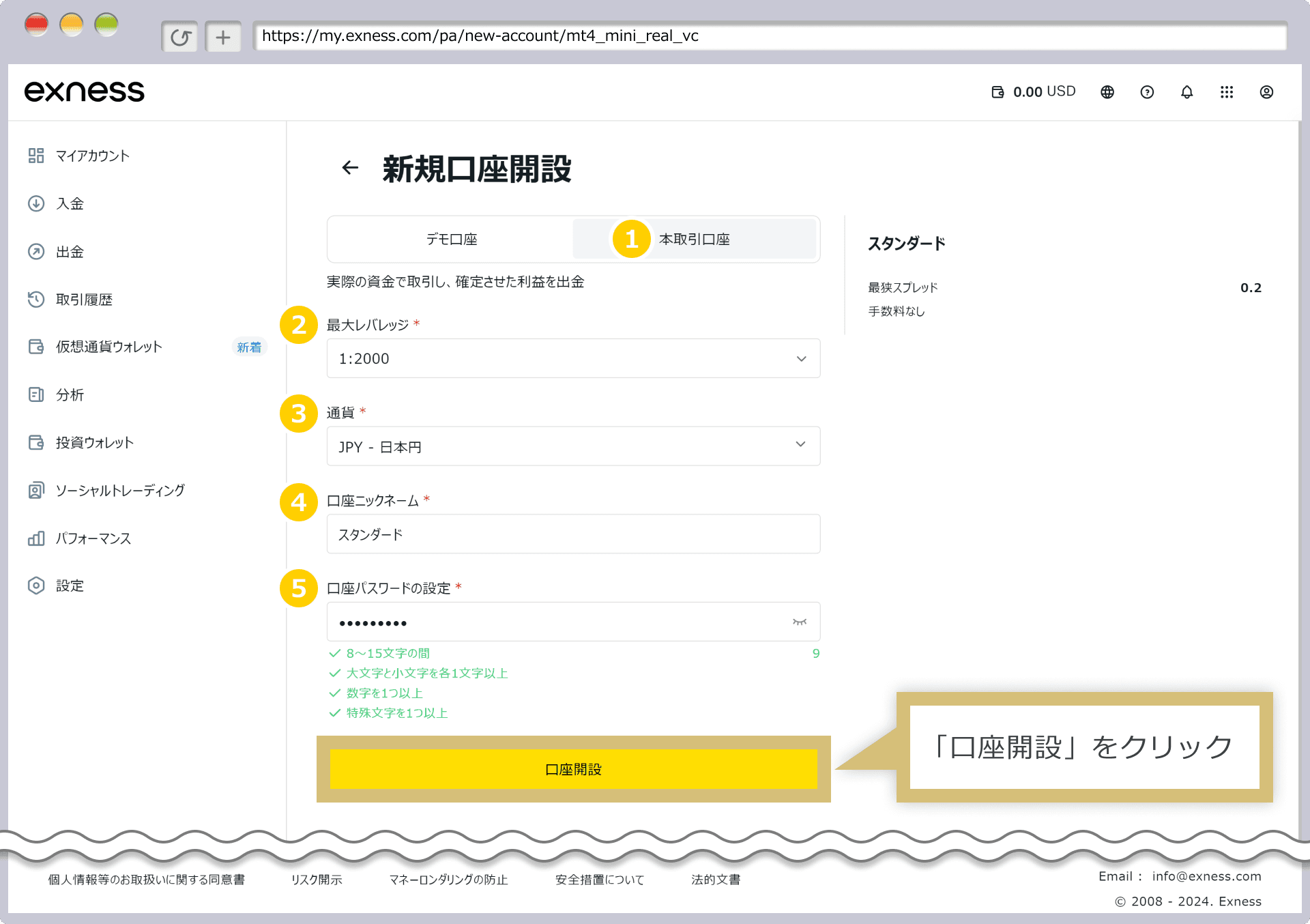
- 3Select account type (Standard / Pro / Raw Spread, etc.) → Account created
- 4Register the issued account number on our registration page
Exness vs XM vs HFM Comparison Table
| Item | HFM | XM Trading | Exness |
|---|---|---|---|
| Min. Deposit | $0 (no minimum) | $5 | $10 |
| Leverage | Up to 2000x | Up to 1000x | Unlimited |
| GOLD (XAUUSD) Spread | Variable (~16-30 pips) | Variable (~30-50 pips) | Variable (~10-20 pips) |
| Bonus | Yes (100% deposit bonus, etc.) | Yes (account opening: amount varies by campaign; deposit 100% up to $500 + 20% up to $10,000) | None |
| Withdrawal | Instant - 24 hours | 2-5 business days | Instant - 24 hours |
| Sub Accounts | Available | Available | Available |
| MT5 Support | ◎ | ◎ | ◎ |
| EA / Auto Trading | ◎ Fully supported | ◎ Fully supported | ◎ Fully supported |
| Support | ◎ (Multilingual) | ◎ (24 hours) | ○ (business hours) |
| Best For | High leverage, low minimum | Beginners, bonus seekers | All-round value, low spreads |
See Other Brokers
Gold EAs to run on Exness
EAs built to exploit Exness's low XAUUSD spreads, each with real-data backtests. Forward results are measured on an Exness demo account. (Our free EAs do not run on demo accounts; use them on your registered live account.)
Exness FAQ
Q.How do I set up an EA on Exness MT5?▾
Q.Are Exness gold (XAUUSD) spreads suitable for EAs?▾
Q.Does Exness restrict EAs (automated trading) or scalping?▾
Q.Are withdrawals really instant?▾
Q.Can I use separate sub-accounts for each EA?▾
Related Blog Posts
Complete MT5 and EA Setup Guide for Exness
All steps to run an EA on ultra-low-spread Exness
Complete Beginner's Guide to Forex Automated Trading EAs [2026 Edition]
7 steps to start automated trading from scratch
How to Choose a Broker for Forex EAs [2026 Edition]
Comparison of spread, EA usability, and support