
XM Trading — account opening guide and review
Updated: May 20, 2026
- ✓Leverage up to 1000x
- ✓Account opening bonus (amount varies by campaign)
- ✓Zero-cut (no margin call)
- ✓24-hour support
- ✓Full MT5 support, EA auto trading OK
- ✓Start from as low as $5
Open an Account with XM
Deposit bonus: 100% up to $500 + 20% up to $10,000, recommended broker for FXEA
⚠ For Existing XM Account Holders (FXEA365 Referral Only)
※ This guide is only for users who opened their XM account through FXEA365's referral link. If you haven't registered yet or signed up through a different channel, please open a new account using the button above (partner code: 26388 is applied automatically). If you see a partner code field when creating an additional account, enter 26388. Accounts that cannot be verified as affiliated will not be able to use our EAs.
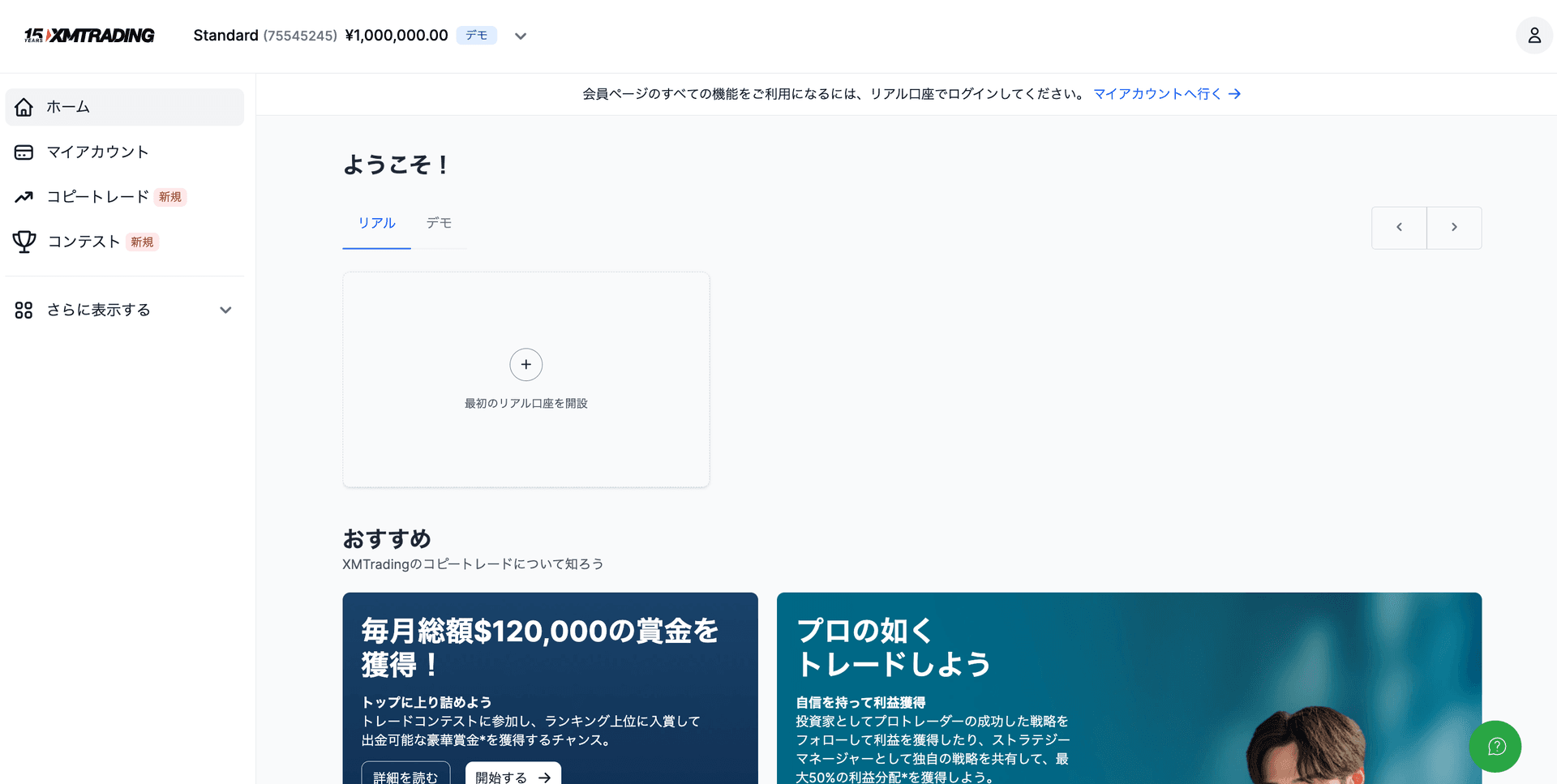
- 1Log in to XM personal area → Click 'Open Account'
- 2'Real Account' → Select account type (Standard / Micro / Zero / KIWAMI)
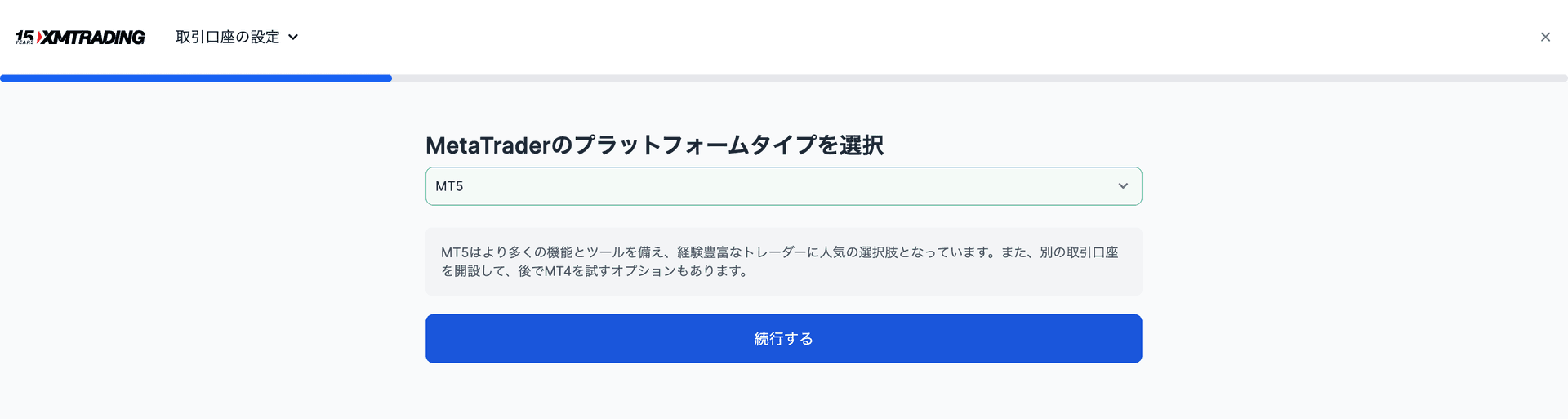
- 3Select MT5 as the platform → Account created
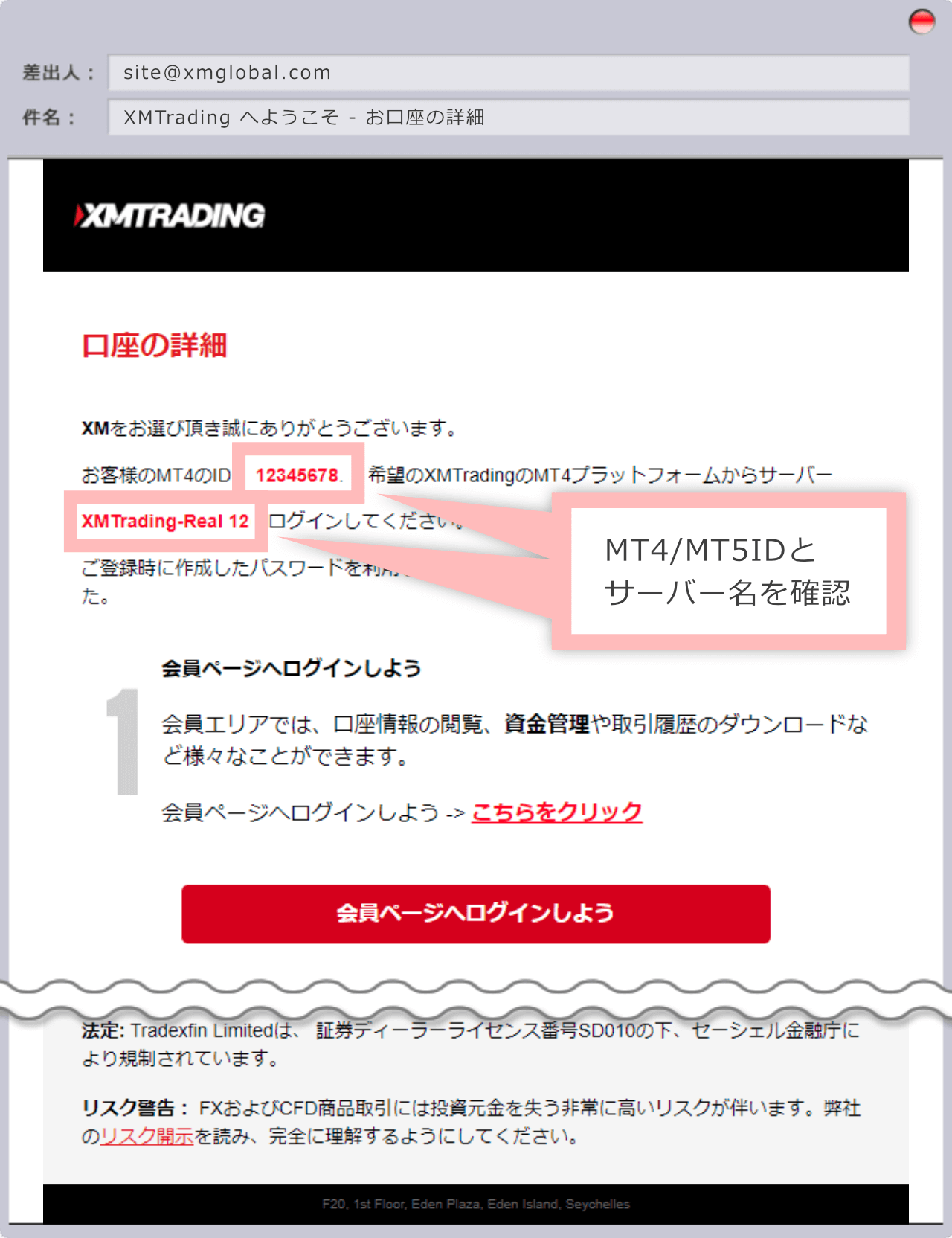
- 4Register the issued login ID (account number) on our registration page
Exness vs XM vs HFM Comparison Table
| Item | HFM | XM Trading | Exness |
|---|---|---|---|
| Min. Deposit | $0 (no minimum) | $5 | $10 |
| Leverage | Up to 2000x | Up to 1000x | Unlimited |
| GOLD (XAUUSD) Spread | Variable (~16-30 pips) | Variable (~30-50 pips) | Variable (~10-20 pips) |
| Bonus | Yes (100% deposit bonus, etc.) | Yes (account opening: amount varies by campaign; deposit 100% up to $500 + 20% up to $10,000) | None |
| Withdrawal | Instant - 24 hours | 2-5 business days | Instant - 24 hours |
| Sub Accounts | Available | Available | Available |
| MT5 Support | ◎ | ◎ | ◎ |
| EA / Auto Trading | ◎ Fully supported | ◎ Fully supported | ◎ Fully supported |
| Support | ◎ (Multilingual) | ◎ (24 hours) | ○ (business hours) |
| Best For | High leverage, low minimum | Beginners, bonus seekers | All-round value, low spreads |
See Other Brokers
Related Blog Posts
Complete MT5 and EA Setup Guide for XM Trading
Explains all steps from opening an XM account to running an EA
Complete Beginner's Guide to Forex Automated Trading EAs [2026 Edition]
7 steps to start automated trading from scratch
How to Choose a Broker for Forex EAs [2026 Edition]
Comparison of spread, EA usability, and support