
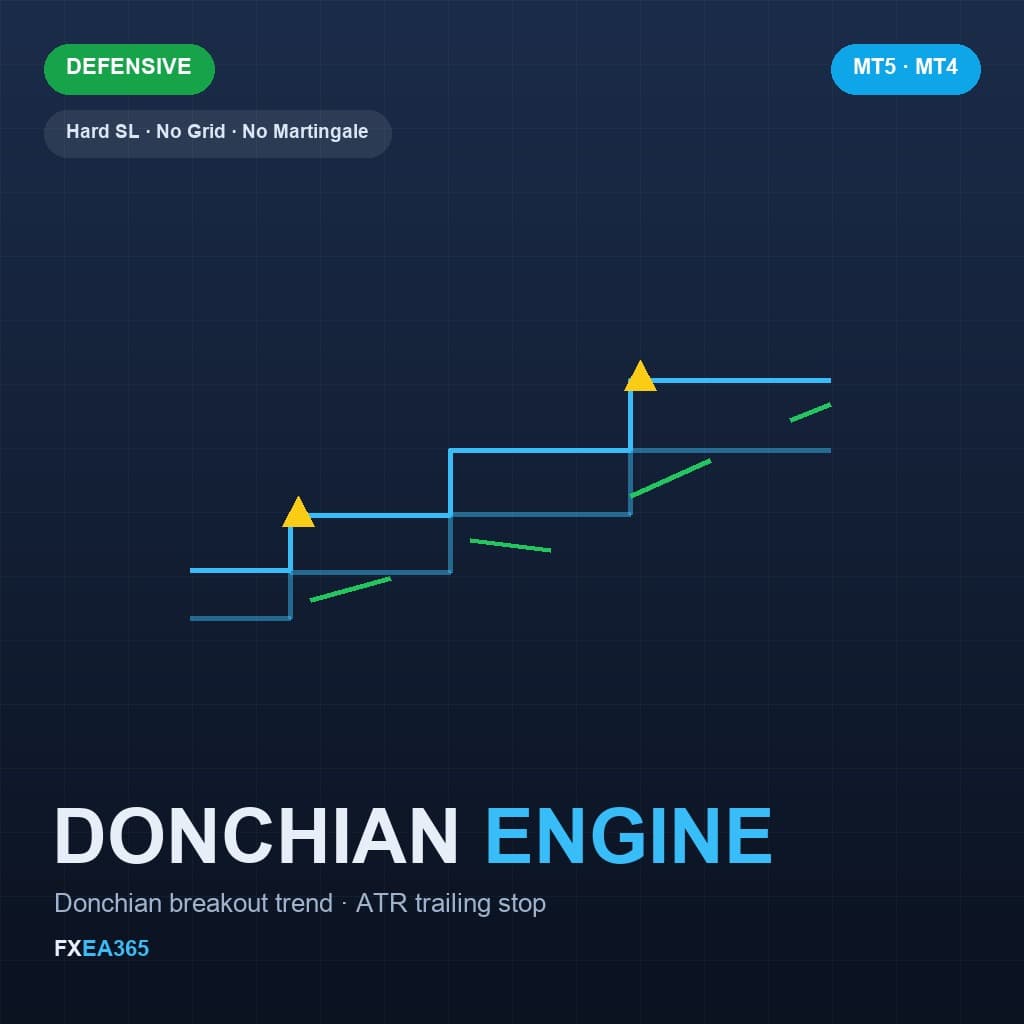
100% FREE · USDJPY H1 · DONCHIAN BREAKOUT TREND
DONCHIAN ENGINE EA
The trend engine behind our paid EAs, released free with no limitations. It enters when a bar closes beyond the Donchian channel, puts a hard stop-loss on every trade, and then carries the position with an ATR trailing stop. One position at a time. No martingale, no grid, no averaging down.
Profit Factor
1.50
Expectancy
Win rate
34.5%
631 trades
Max DD
10.80%
Equity DD
Annual (compound)
+10.9%
+$1,090/yr (on $10,000)
Attach to: USDJPY H1 — The strategy reads the H1 timeframe. On any other chart it will place no trades at all. When testing in the MT5 Strategy Tester, set the symbol and timeframe to USDJPY H1 as well.
⚡ Minimum deposit: from 100,000 JPY (standard account). For smaller or safer sizing, use a micro/cent account.
The default is 0.5% risk per trade, which runs at the minimum lot on a 100,000 JPY account. Use a micro (cent) account if you want to start smaller.
Verification Status
How far verification has progressed, from backtest to forward testing
- BacktestDone
- Period
- H1 (2017.01.01 - 2026.06.01)
- History quality
- 100% real ticks
- Trades
- 631
- PF
- 1.50
- Max DD (relative, equity)
- 10.83% (equity DD at the largest loss in money terms: 10.34%)
- Recommended minimum capital
- $1,000+ recommended
- OOSDone
- Data source
- Dukascopy 10 yr
- Years verified
- 9.4
- ForwardNot started
Forward testing has not started for this EA. Judge it by the backtest / OOS figures above only.
See all forward tests → - LiveNot started
HOW IT WORKS — DONCHIAN BREAKOUT + ATR TRAILING STOP
How it works - Donchian breakout + ATR trailing stop
Hypothesis: in markets that actually trend, a close beyond the recent range tends to be followed by continuation. The edge does not come from entry accuracy - it comes from cutting losses small and letting the rare winner run.
- Entry: the previous bar closes beyond the channel built from the last N closed bars (default 40). The forming bar is never used, so nothing repaints.
- Exit: an ATR trailing stop (default 8x ATR) that only moves toward price and never loosens, plus a time-out after HoldBars (default 60) if the move never develops. There is no fixed take-profit.
- Risk control: a hard stop-loss on every trade (default 2x ATR). One position at a time. Lot size is derived from the real stop distance and clamped to the symbol's volume min/max/step/limit.
📈MT5 Strategy Tester Report — DONCHIAN ENGINE EA
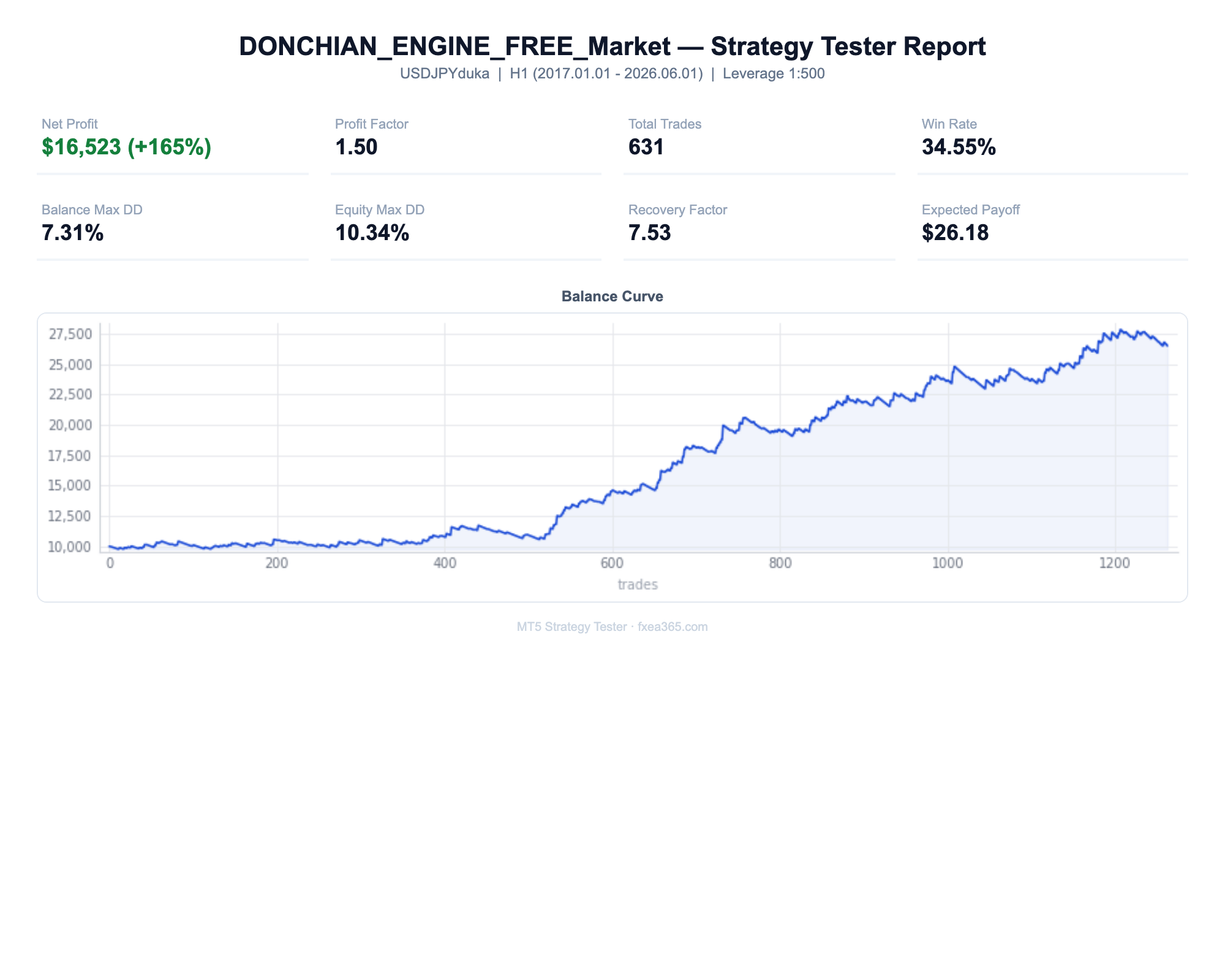
📋 About this report
- Official report generated by the MT5 Strategy Tester (real-tick data)
- Multi-year real price data with the every-tick (real ticks) model
- Balance curve (blue) / Equity curve (green) shows floating losses too
- Past results do not guarantee future profits
⚠ Where it does not work, and the risks
- This is trend following. It loses in ranges. A 34.5% win rate is the normal shape: many small losses, a few large winners. If you need to be right most of the time, this will feel awful even while it makes money.
- Donchian breakouts need markets that trend. In our own real-feed tests the logic does NOT work on ranging majors such as EURUSD, or on gold.
- The defaults are a USDJPY H1 configuration. On any other symbol or timeframe you must re-fit them - a breakout length rarely transfers between markets.
- There is no live forward record yet. The published numbers are a real-tick backtest on Dukascopy data.
PARAMETERS
Parameters
| Parameter | Default | Description |
|---|---|---|
| N_Channel | 40 | Donchian channel length (bars) |
| SL_ATR | 2.0 | Hard stop-loss distance (ATR multiple) |
| Trail_ATR | 8.0 | Trailing stop distance (ATR multiple) |
| HoldBars | 60 | Close the position after this many bars |
| AllowBuy / AllowSell | true / false | Trade upper breakouts (long) / lower breakouts (short). Long only by default |
| RiskPercent | 0.5 | Risk per trade (% of balance). Ignored if FixedLot > 0 |
| FixedLot | 0.0 | Fixed lot size (0 = use RiskPercent) |
Always-on chart panel
Once the EA is on the chart, a panel shows its status at a glance.
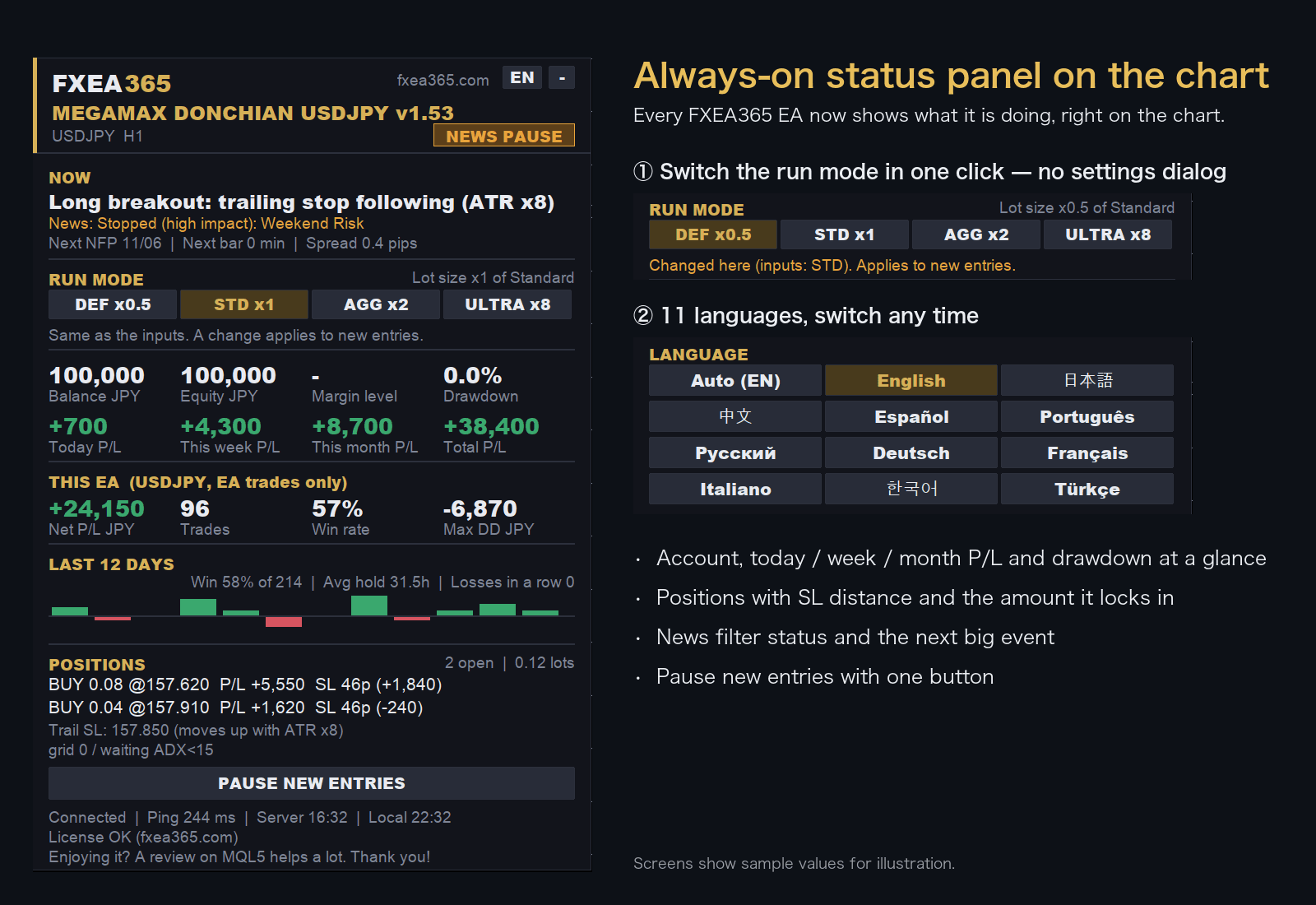
- Switch the run mode with a button on the chart (no need to reopen the settings)
- Choose the display language from 11 languages
- Live P/L, maximum drawdown and EA net profit
- Open positions with distance to SL
Screens show sample values for illustration.
EA Setup Guide
- Copy to the MQL5/Experts folderCopy the .ex5 file to the MQL5/Experts folder inside the MT5 data folder (File > Open Data Folder)
- Allow fxea365.com in MT5 WebRequest settingsIn MT5 open Tools → Options → Expert Advisors, tick "Allow WebRequest for listed URL", add https://fxea365.com and press OK. The EA checks your account licence there on start-up; without this it stops with "code=4014"
- Attach the EA to a chartOpen the chart for the target currency pair, drag the EA from the Navigator panel onto the chart, check "Allow Algo Trading," and click OK
- Turn on the Algo Trading buttonTurn on the "Algo Trading" button (green) in the MT5 toolbar. A smiley face (😊) in the top right of the chart means it is running
How to Set Up an EA in MT5 | From Installation to Operation →
Free download (register your account number)
STEP 1 Prepare your account
Using the EA requires an MT5 account opened through our referral link. If you already have an account, please create an additional account.
No account yet — open a new account via the links below
Adding an account — create an additional account in your member pageSee how →
Also free on the MQL5 Market
If you would rather not register, download it from the MQL5 Market. An MT4 version and a free indicator that draws the same logic are available there too.
Ready for a paid EA?
Once you're comfortable with the free tools, our tick-tested paid EAs are available on the MQL5 Market. Try free first, then decide.
See all products on MQL5 MarketFrequently asked questions
- What is the difference between the free and paid versions?
- The free version works once you register the number of an Exness, XMTrading or HFM trading account opened through our referral link. The paid version is a one-time purchase on MQL5 Market and needs no account registration. For some EAs the version or default settings differ between the two (see the version shown on each page).
- What happens if I change accounts?
- The free version runs only on the account number you registered. To use it on another account, register again with that account number.
- Can I backtest it?
- Yes. The MT5/MT4 Strategy Tester does not check the account, so you can test on any account type.
- Can I use it on a demo account?
- No. The free version runs only on the registered live trading account. Use the Strategy Tester to check how it behaves.
- What if the EA does not trade?
- See "Common problems and fixes" in the setup guide. How to Set Up an EA in MT5 | From Installation to Operation →