
MT5 EA Not Working or Not Placing Trades
Contents
- ① The EA won't run (no smiley face)
- 1-1. AutoTrading is OFF
- 1-2. The EA isn't applied correctly
- 1-3. WebRequest URL not whitelisted (license-checked EAs)
- 1-4. INIT_FAILED on an unsupported account or symbol
- ② It's running but never enters a trade (smiley shows, no trades)
- 2-1. There's simply no signal (normal)
- 2-2. A filter is blocking new entries
- 2-3. The order is rejected for insufficient margin
- 2-4. Market closed or no quotes arriving
- 2-5. Computed lot is zero or below minimum
- Triage checklist
- Summary
- FAQ
- Q: The smiley shows but it has never entered a trade. Is it broken?
- Q: I get "WebRequest is not allowed".
- Q: On a VPS it stops after a reboot.
- Q: It trades in backtest but not live.
MT5 EA Not Working or Not Placing Trades
You attached the EA and nothing happens. The fastest way to the cause is to decide whether ① the EA isn't running at all or ② it's running but never enters a trade. Telling them apart takes one glance.
Look at the top-right corner of the chart, next to the EA name.
- 😐 A smiley face = the EA is running fine → go to ②
- ✖ or 🚫, or nothing = the EA is not running → go to ①
This guide fixes ① and ② in order of how often each happens. If you see an error code, read the MQL5 / MT5 error code guide; for ERR_NO_MONEY, see ERR_NO_MONEY explained.
① The EA won't run (no smiley face)
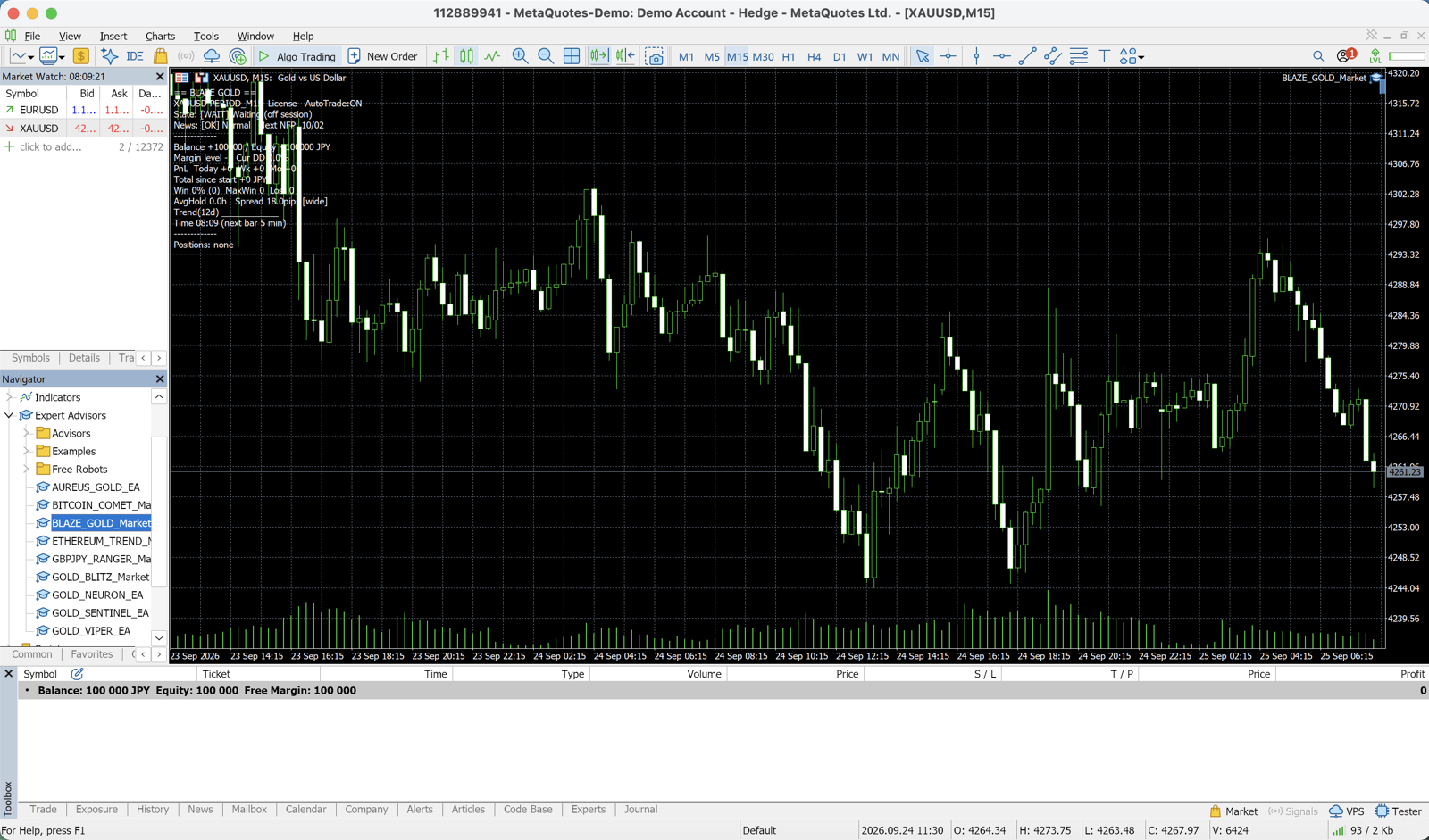
1-1. AutoTrading is OFF
The most common cause. Even with a smiley on the chart, if the toolbar AutoTrading button is red (OFF), the EA won't trade.
Fix:
- Click the AutoTrading button in the top toolbar so it turns green (ON)
- Tools → Options → Expert Advisors → check "Allow Algo Trading"
- Confirm the chart's top-right shows 😐 (smiley)
It often flips back to OFF after a VPS reboot or when MT5 auto-starts.
1-2. The EA isn't applied correctly
From the Navigator (Ctrl+N) under "Expert Advisors", double-click or drag the EA onto the chart and click "OK" in the dialog. An EA with compile errors can't be applied — open it in MetaEditor, compile (F7) and confirm zero errors.
1-3. WebRequest URL not whitelisted (license-checked EAs)
This trips up users of any EA that does server authentication, including fxea365 EAs. EAs that authenticate or fetch data are blocked by WebRequest() unless the URL is allowed, and they stop in OnInit.
Fix:
- Tools → Options → Expert Advisors tab
- Tick "Allow WebRequest for listed URL"
- Add the URL the EA needs (for fxea365 EAs,
https://fxea365.com) and restart the EA
If the Experts tab shows "WebRequest is not allowed" or an auth error, this is it. After allowing it, a [License ✅ verified] log means success.
1-4. INIT_FAILED on an unsupported account or symbol
- License-checked EAs stop with
INIT_FAILEDunless the account is registered (for fxea365, register your account number on the site before starting). - Some EAs warn if attached to the wrong symbol (e.g. a GOLD EA on EURUSD).
② It's running but never enters a trade (smiley shows, no trades)
If the smiley is there but no position opens, it's almost always that the EA decided its entry conditions aren't met right now — not an error. Check in order.
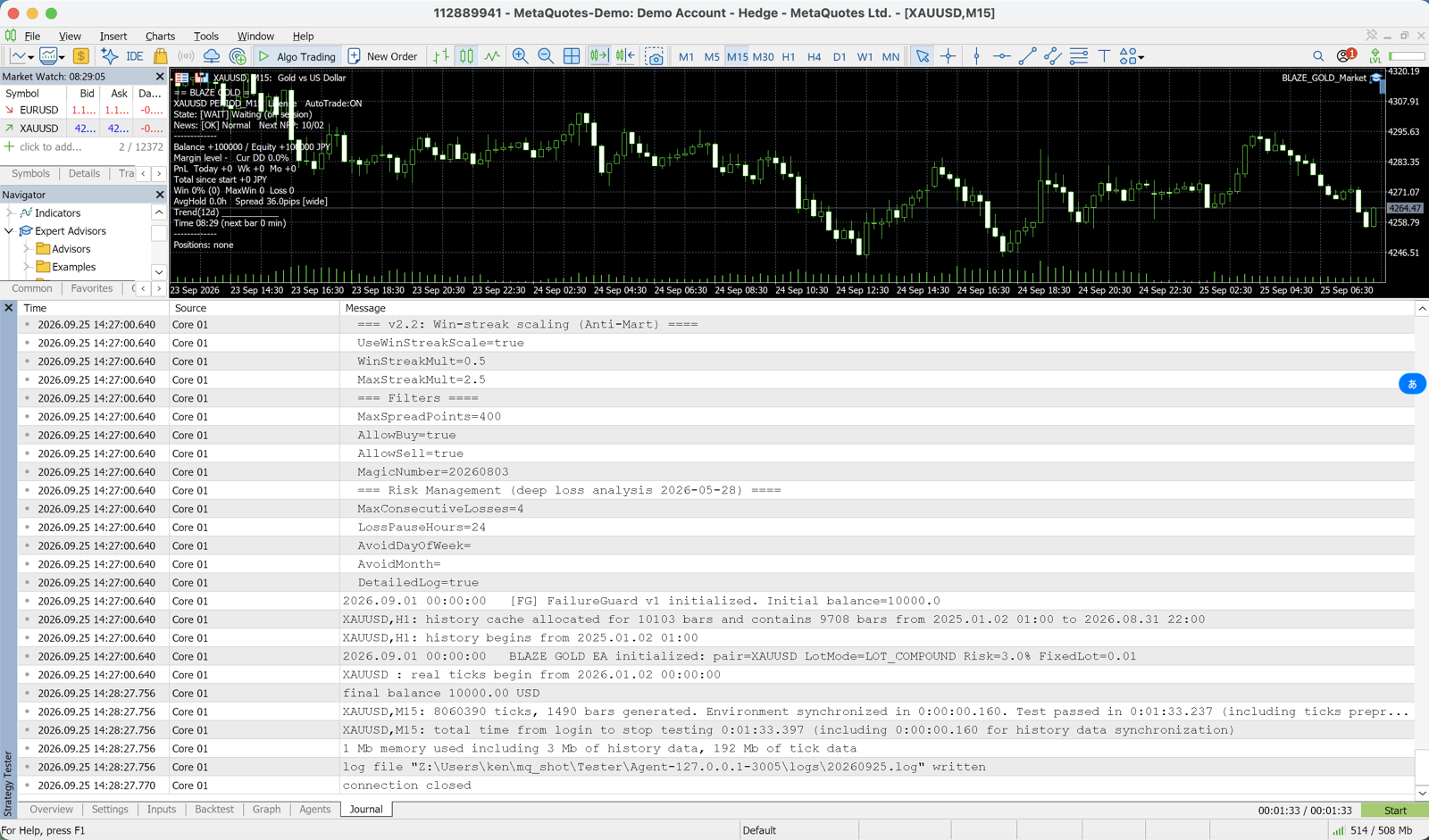
2-1. There's simply no signal (normal)
An EA evaluates every tick and opens only when conditions line up. An H1 EA entering 1–3 times a day is normal. A log like this means it's waiting, which is fine:
No signal on this bar. ATR=12.4, EMA(50)=1998.23
⏳ Wait for next bar
Hours or a day with no entry isn't abnormal. Run the Strategy Tester over the same period — if it trades there, the live "silence" is just market conditions, not a broken EA.
2-2. A filter is blocking new entries
Most EAs skip new entries via safety filters and log the reason in the Experts tab.
| Log example | Cause | Fix |
|---|---|---|
News filter / paused | avoiding high-impact events | resumes after the event (normal) |
Spread too high | spread over the limit | review MaxSpread; normal near news |
Margin level too low | margin level under the floor | deposit or lower lot (ERR_NO_MONEY) |
Outside trading hours | time filter | check TradeStartHour/EndHour |
Max positions reached | position cap hit | close some or raise the cap |
These are by-design protections, not faults.
2-3. The order is rejected for insufficient margin
The EA tries to enter but the server rejects it with ERR_NO_MONEY (134 / 10019): lot too big for the balance, low leverage, or margin locked by open positions. See ERR_NO_MONEY explained.
2-4. Market closed or no quotes arriving
On weekends/holidays or outside a symbol's session you can't enter (Market closed). Confirm quotes (Bid/Ask) are updating and the connection indicator at the bottom of MT5 is green.
2-5. Computed lot is zero or below minimum
With risk-percent sizing, a balance too small to reach the 0.01 minimum lot produces no order. Switch to a fixed lot or reconsider the account type (e.g. a cent account).
Triage checklist
| Check | Good state |
|---|---|
| Chart top-right EA indicator | 😐 smiley (= running) |
| Toolbar AutoTrading | green (ON) |
| Options → EA → Allow Algo Trading | checked |
| WebRequest whitelist (auth EAs) | the EA's URL added |
| Compile in MetaEditor | zero errors |
| Experts tab | a skip reason or License ✅, not an error |
| Account & symbol | registered account, intended symbol |
| Margin | free margin > required margin |
Work down the list and nearly every "won't run / won't trade" case resolves.
Summary
- First use the 😐 smiley to split "not running" from "running but idle".
- Not running = AutoTrading OFF, compile error, WebRequest not allowed, or unregistered account.
- Not trading = mostly waiting for a signal or a filter skipping by design. Only chase it via the error code guide / ERR_NO_MONEY if there's an actual error.
For setup itself see the MT5 EA install guide; for free EAs sized to run on a small balance, see the EA list. If it still won't work after these checks, send us the Experts-tab log and we'll help.
FAQ
Q: The smiley shows but it has never entered a trade. Is it broken?
Usually it's normal. The EA only opens when conditions are met. Run a backtest over the same period to confirm it trades, and check the Experts tab for a skip reason (news pause, spread over limit, etc.). No error plus a skip reason means it's working as designed.
Q: I get "WebRequest is not allowed".
In Options → Expert Advisors, tick "Allow WebRequest for listed URL" and add the URL the EA needs (for fxea365 EAs, https://fxea365.com), then restart the EA. It's required for any EA that authenticates or fetches external data.
Q: On a VPS it stops after a reboot.
When MT5 auto-starts, the AutoTrading button can revert to OFF. After a reboot, confirm the button is green and Allow Algo Trading is still enabled.
Q: It trades in backtest but not live.
The live account's spread, leverage, account type and trading hours differ from your test setup. Check the filters (spread limit, trading hours), margin, and whether the market is open.
Related
📧 Price-rise alerts + free 5-day email course
All EAs are at launch pricing and step up as copies sell. Get notified before each rise, plus a daily email on algo-trading essentials, reading backtests correctly, and choosing a broker.
* Privacy strictly protected. You can unsubscribe at any time.
Have a question about EAs or FX?
You can post it on the Nattzy trading forum (free sign-up). Questions beyond this article are welcome too — EA settings, choosing a broker and more.
Ask on Nattzy ↗