
BacktestMT5
Cách chạy backtest bằng Strategy Tester của MT5
Updated: May 15, 2026
▼ Table of Contents
What is Backtesting?
Backtesting is the process of running an EA against historical market data to verify the effectiveness of a strategy. MT5 comes standard with a powerful backtest function called the Strategy Tester.
Without using real funds, you can check EA performance against years of historical data, making it an important step before running an EA on a live account.
Even if a backtest shows good results, it does not guarantee future profits. Use backtesting only as a reference.
Opening the Strategy Tester
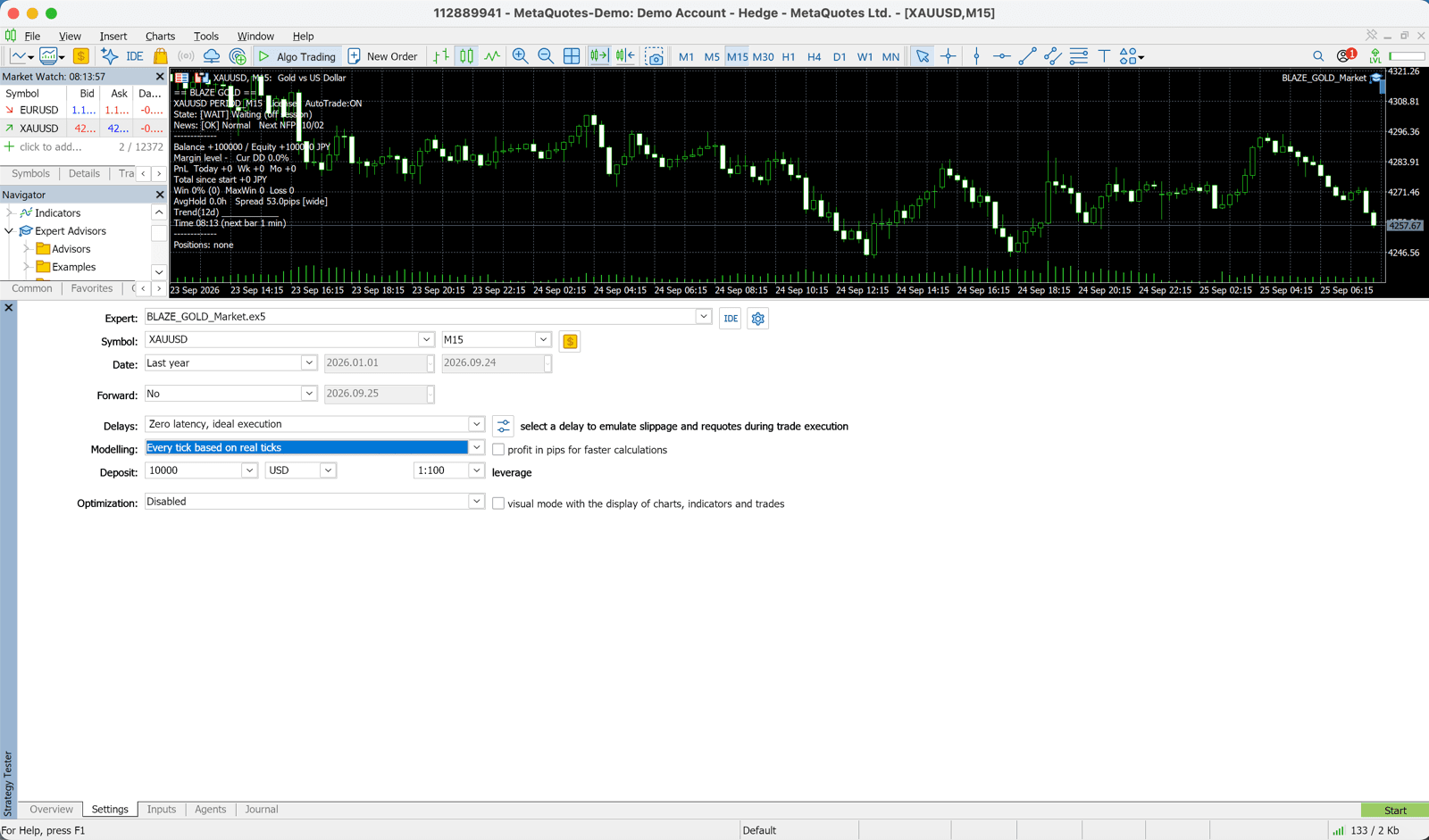
Here's how to open the Strategy Tester in MT5.
- Method 1:Click 'View' → 'Strategy Tester' from the top menu
- Method 2:Use the keyboard shortcut 'Ctrl + R'
- Method 3:Click the 'Strategy Tester' button in the toolbar
The Strategy Tester panel will appear at the bottom of the screen.
Backtest Settings
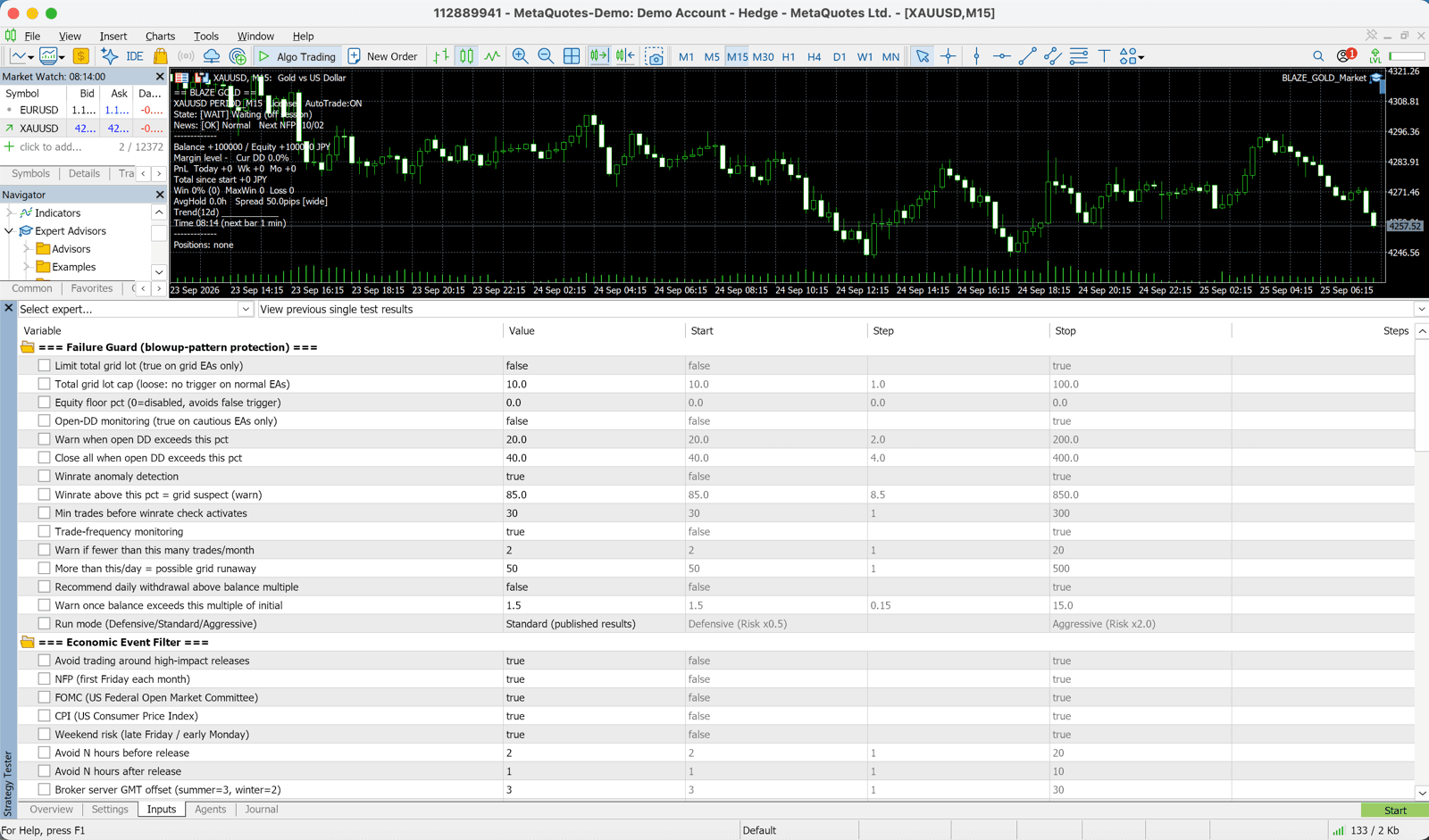
| Setting | Recommended | Description |
|---|---|---|
| Expert Advisor | GOLD_VIPER | Select the EA to test |
| Symbol (Currency Pair) | XAUUSD | Select GOLD |
| Timeframe | M30 (30 phút) | Set to match the EA design |
| Model | Every Tick | Highest accuracy (takes longer) |
| Period | Custom | Set the period to test (e.g., 2020-2025) |
| Initial Balance | 10000 | Virtual initial capital ($10,000, etc.) |
| Currency | USD | Match your account currency |
| Spread | 30-50 (XAUUSD) | Set a value close to the actual spread |
'Every Tick' mode is most accurate but takes longer. We recommend first checking quickly with 'Control Points', then verifying with 'Every Tick'.
Running the Backtest
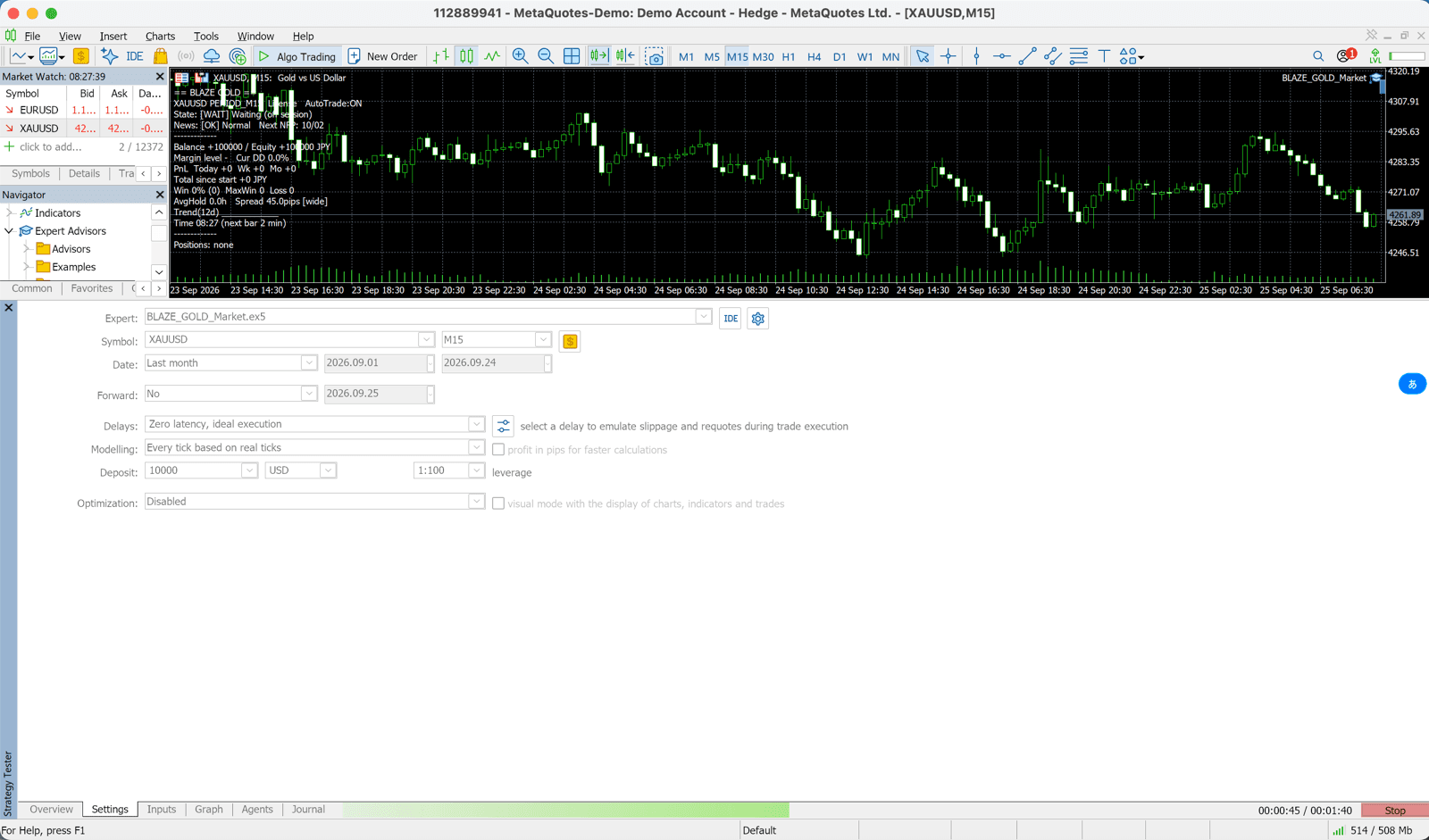
- 1.Once settings are complete, click the 'Start' button
- 2.A progress bar will appear and the backtest will begin
- 3.After completion, a list of all trades will appear in the 'Results' tab
- 4.In the 'Graph' tab, you can view a chart of asset progression
- 5.In the 'Report' tab, you can check detailed statistical information
Reading the Results
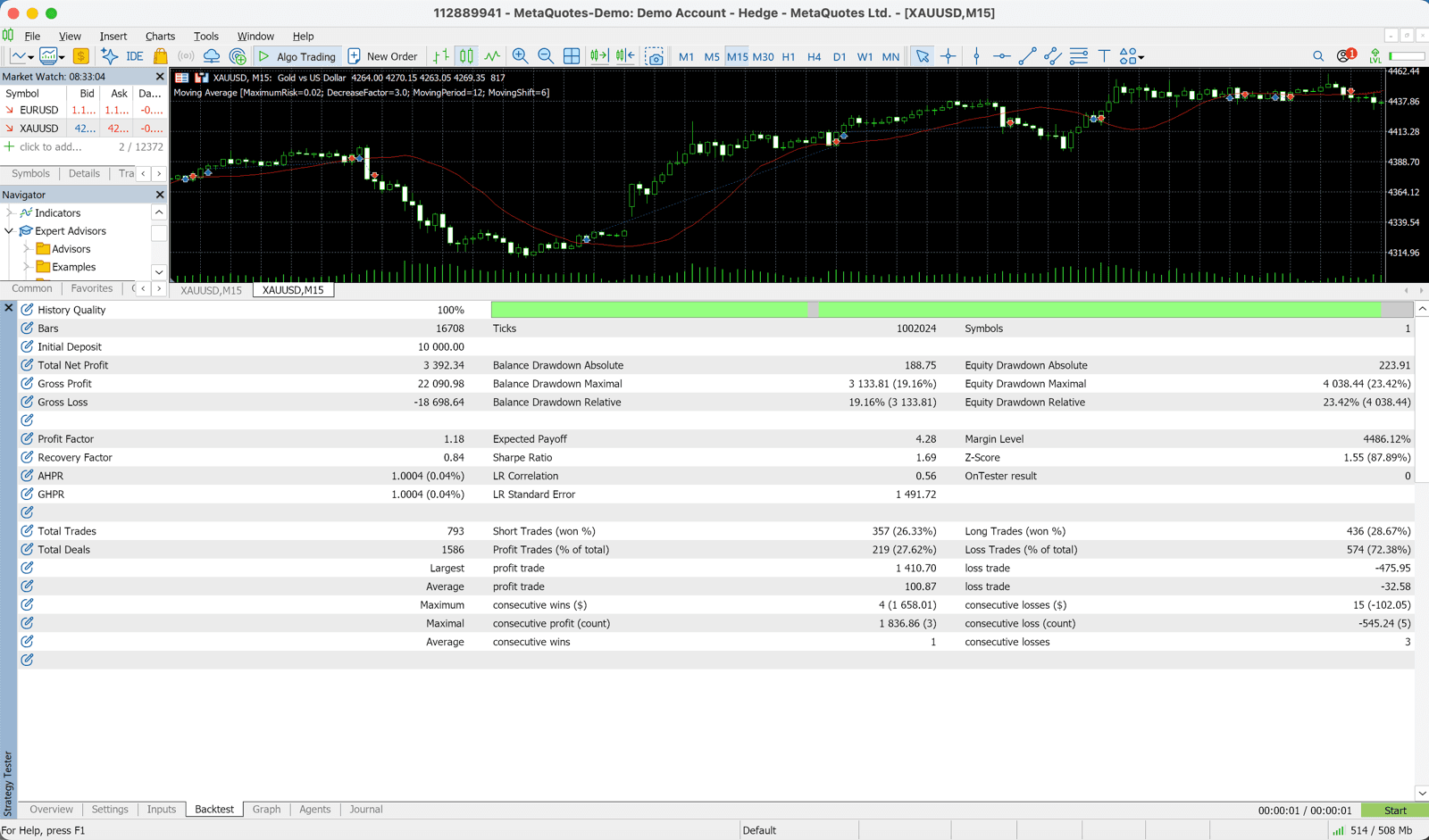
| Metric | Description | Target |
|---|---|---|
| Net Profit | Total profit during the backtest period | Should be positive |
| Win Rate | Percentage of profitable trades out of all trades | Tùy chiến lược (EA xu hướng 35–45% vẫn ổn) |
| Profit Factor (PF) | Total profit ÷ Total loss | 1,3 trở lên làm mốc (1,1–2,0 là lành mạnh) |
| Maximum Drawdown (DD) | Maximum decline in assets | Dưới 20% làm mốc (DD tương đối 10–25% là phổ biến) |
| Sharpe Ratio | Return-to-risk ratio | 1.0+ desirable |
| Total Trades | Number of trades during the backtest period | Too few = low reliability |
| Max Consecutive Losses | Maximum number of consecutive losses | Check if you can tolerate this psychologically |