
Exness — guide d'ouverture de compte et avis
Mis à jour : 20 mai 2026
- ✓Spread XAUUSD aux niveaux les plus bas du secteur
- ✓Retraits instantanés (24h/7j)
- ✓Zéro-cut (pas d'appel de marge)
- ✓Levier illimité (comptes Pro)
- ✓Support MT5 complet, trading automatique EA autorisé
- ✓Réglementé par la FCA, CySEC et autres
Ouvrir un compte chez Exness
Faible spread, effet de levier illimité, pour traders avancés
⚠ For Existing Exness Account Holders (FXEA365 Referral Only)
※ This guide is only for users who opened their Exness account through FXEA365's referral link. If you haven't registered yet or signed up through a different channel, please open a new account using the button above (partner code: m6d0s2u1e2 is applied automatically). If you see a partner code field when creating an additional account, enter m6d0s2u1e2. Accounts that cannot be verified as affiliated will not be able to use our EAs.
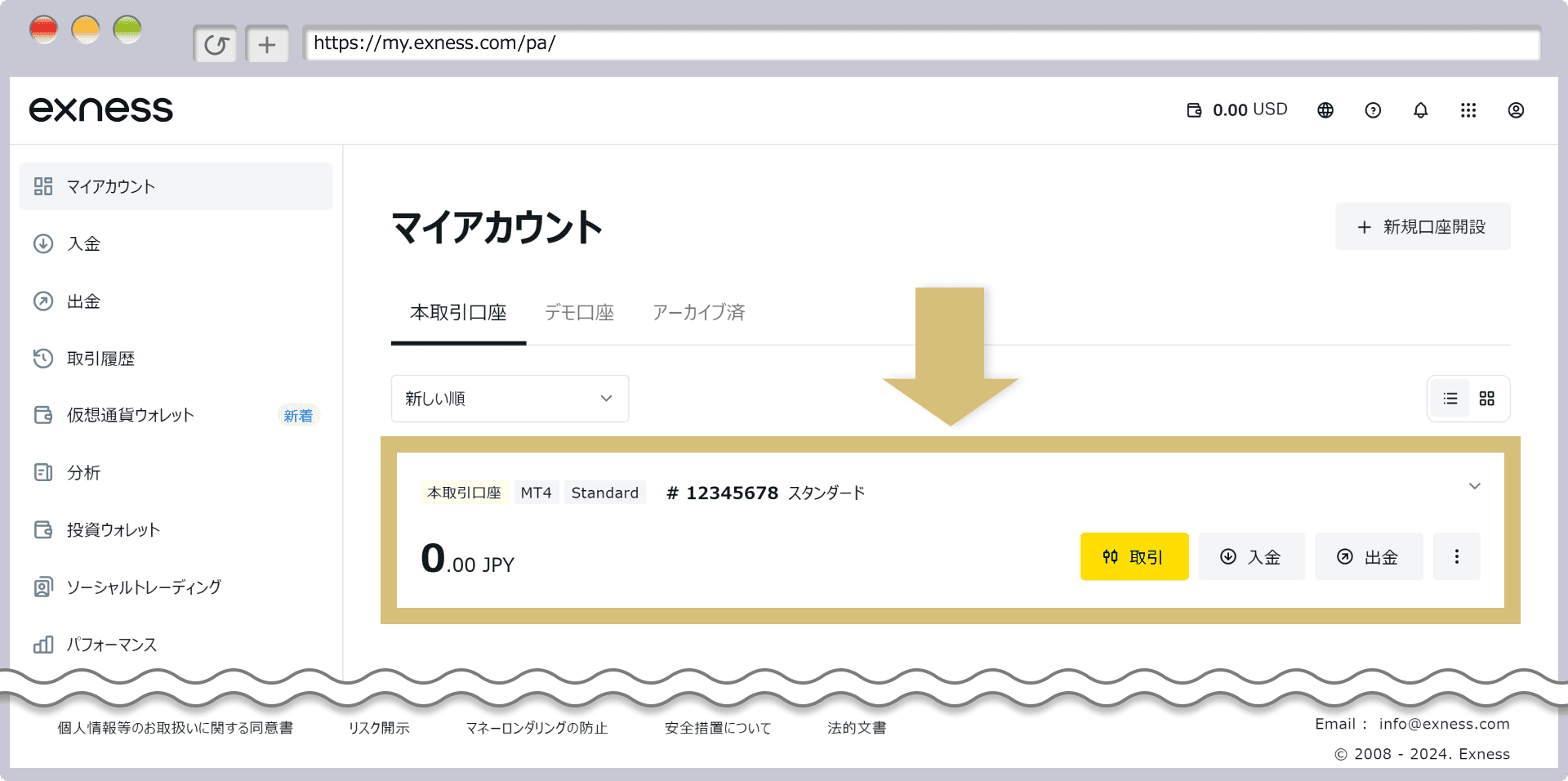
- 1Connectez-vous à l'espace personnel Exness → Cliquez sur 'Ajouter un compte'
- 2Sélectionnez 'Compte réel MT5'
- 3Sélectionnez le type de compte (Standard / Pro / Raw Spread, etc.) → Compte créé
- 4Register the issued account number on our registration page
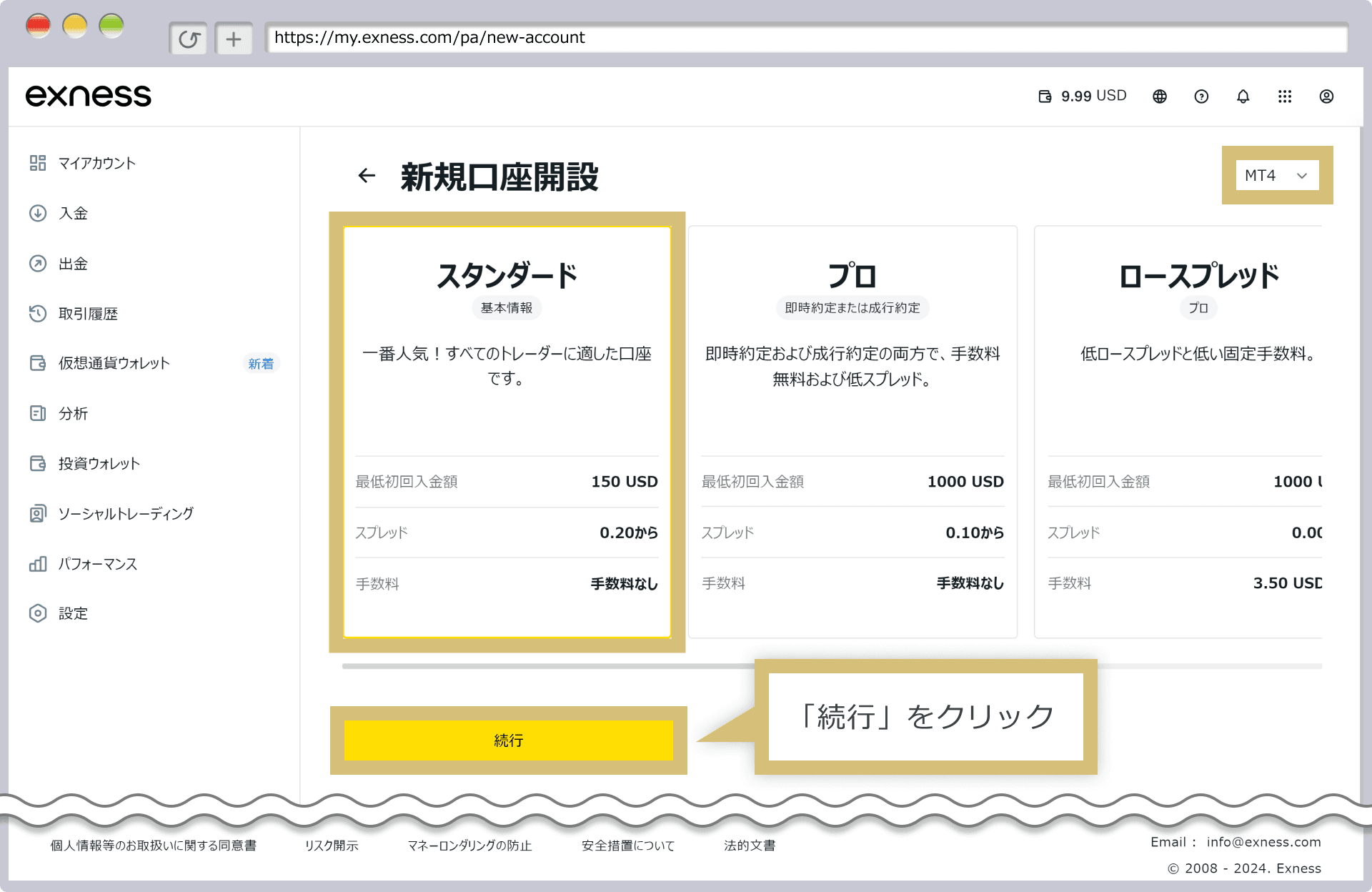
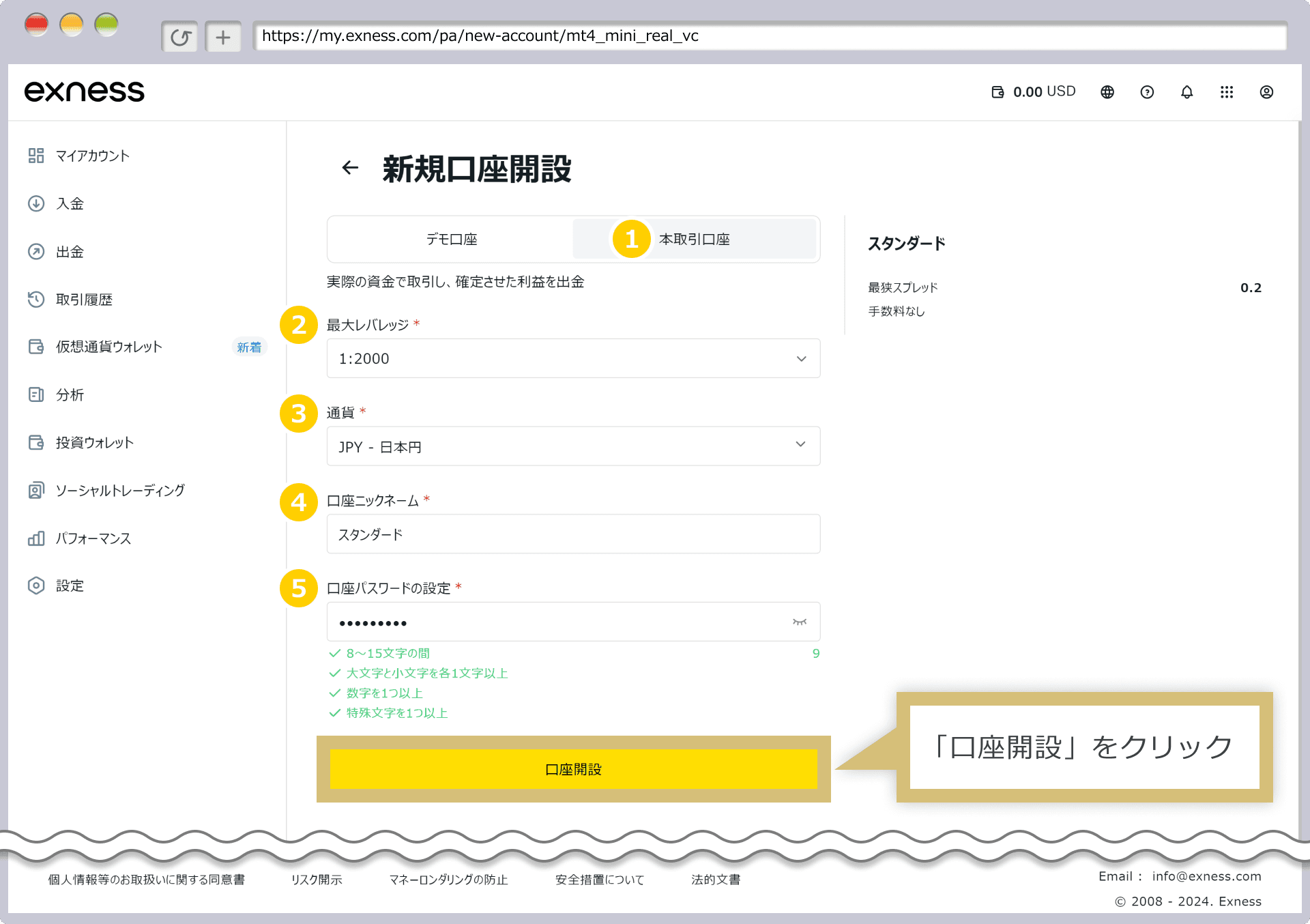
Tableau comparatif Exness vs XM vs HFM
| Élément | HFM | XM Trading | Exness |
|---|---|---|---|
| Dépôt minimum | 0 $ (aucun minimum) | 5 $ | 10 $ |
| Levier | Jusqu'à 2000x | Jusqu'à 1000x | Illimité |
| Spread GOLD (XAUUSD) | Variable (~16-30 pips) | Variable (~30-50 pips) | Variable (~10-20 pips) |
| Bonus | Oui (bonus de dépôt de 100%, etc.) | Oui (ouverture de compte jusqu'à 13 000 ¥ ; dépôt 100 % jusqu'à 500 $ + 20 % jusqu'à 10 000 $) | Aucun |
| Retrait | Instantané - 24 heures | 2-5 jours ouvrables | Instantané - 24 heures |
| Sous-comptes | Disponible | Disponible | Disponible |
| Support MT5 | ◎ | ◎ | ◎ |
| EA / Trading automatique | ◎ Entièrement supporté | ◎ Entièrement supporté | ◎ Entièrement supporté |
| Support | ◎ (Multilingue) | ◎ (24 heures) | ○ (heures ouvrables) |
| Idéal pour | Fort levier, dépôt minimum faible | Débutants, chercheurs de bonus | Valeur polyvalente, faibles spreads |
See Other Brokers
EA or à utiliser sur Exness
EAs built to exploit Exness's low XAUUSD spreads, each with real-data backtests. Forward results are measured on an Exness demo account.
FAQ Exness
Q.How do I set up an EA on Exness MT5?▾
Q.Are Exness gold (XAUUSD) spreads suitable for EAs?▾
Q.Does Exness restrict EAs (automated trading) or scalping?▾
Q.Are withdrawals really instant?▾
Q.Can I use separate sub-accounts for each EA?▾
Articles de blog associés
Guide complet de configuration MT5 · EA sur Exness
Toutes les étapes pour faire fonctionner un EA sur Exness au spread ultra-bas
Guide complet du trading automatisé FX par EA pour débutants [édition 2026]
7 étapes pour démarrer le trading automatisé à partir de zéro
Comment choisir un broker pour EA FX [édition 2026]
Comparaison du spread, de la compatibilité EA et du support