
How to Optimize EA Parameters and What to Watch Out For
Updated: May 15, 2026
Please read before optimizing
Parameter optimization is a powerful feature, but if used incorrectly, it can over-optimize to historical data (overfitting), resulting in an EA that doesn't work at all in actual markets. This article also explains these precautions in detail.
▼ Table of Contents
What is Optimization?
EA parameter optimization is the process of backtesting various combinations of parameters — such as EMA periods, ATR multipliers, and risk percentages — to find the best performing combination.
MT5's Strategy Tester has an 'Optimization Mode' that automatically tests all parameter combinations within a specified range in a brute-force manner. Multi-threaded processing enables high-speed optimization.
Optimization Steps
- 1
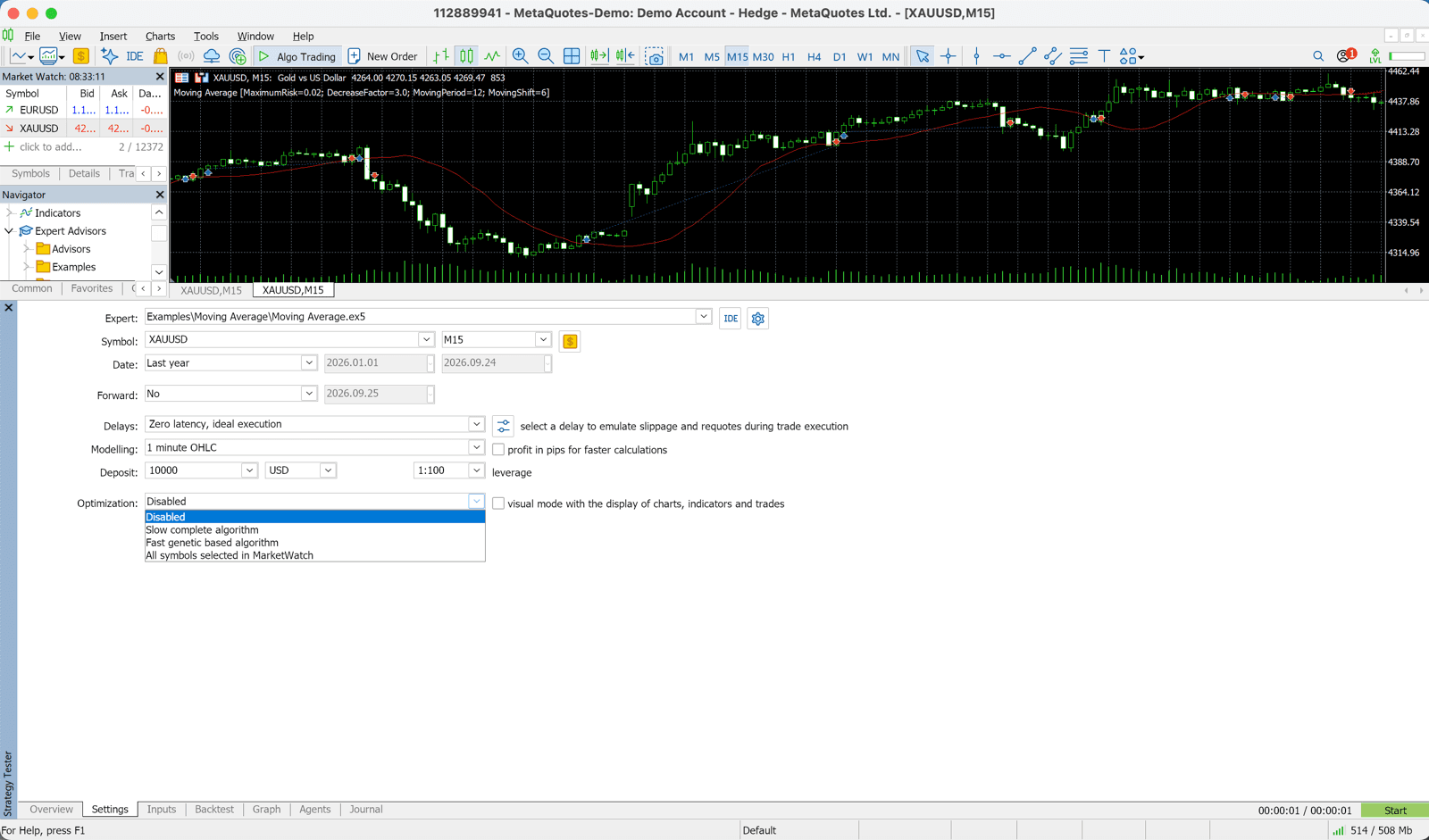
Open Strategy Tester
Open the Strategy Tester with Ctrl+R and configure the EA and currency pair (XAUUSD H1).
- 2
Select Optimization Mode
Turn ON the 'Optimization' checkbox and select the optimization criterion (e.g., Max Net Profit, Max Sharpe Ratio). We recommend using Sharpe Ratio as the criterion.
- 3
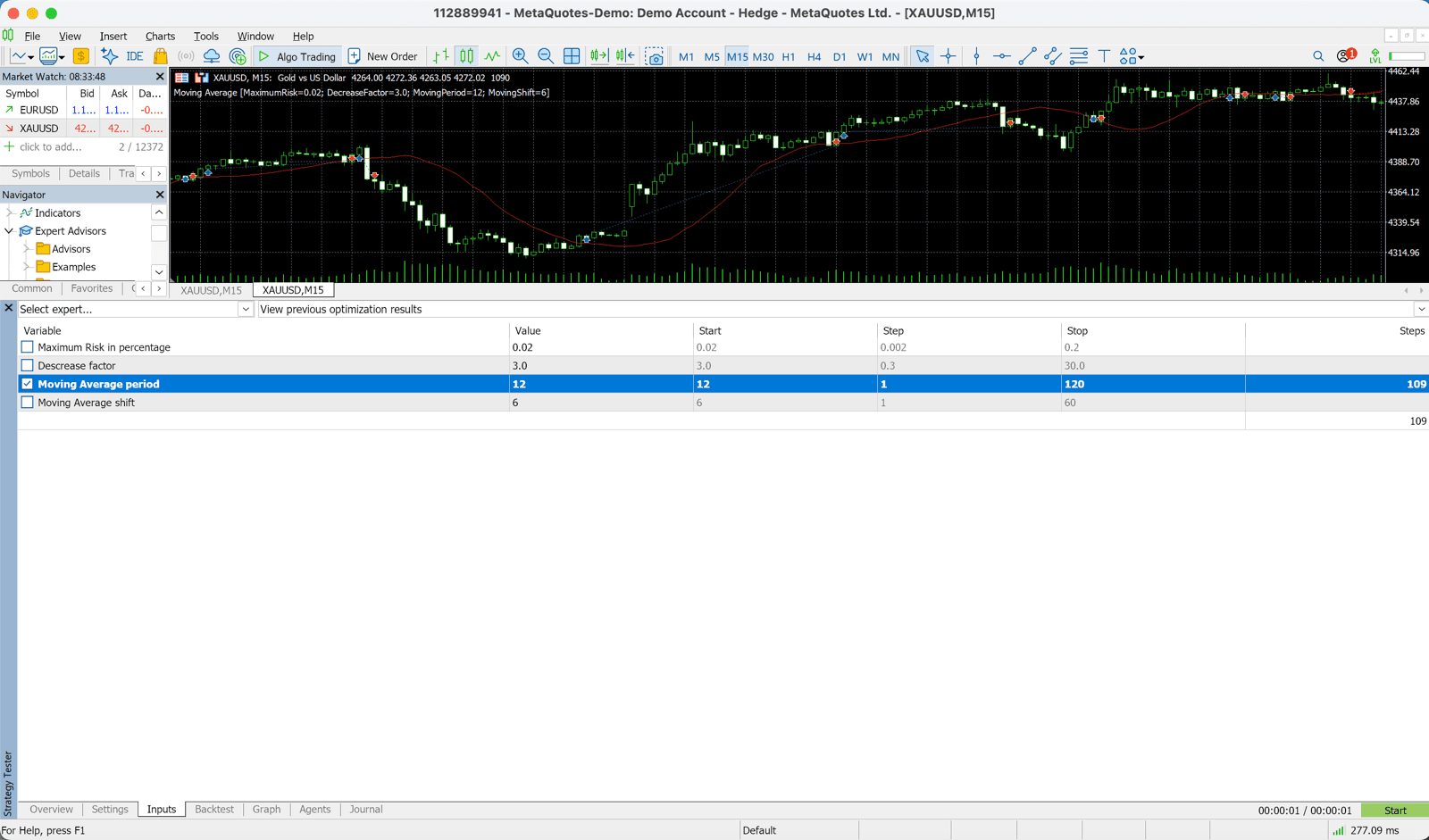
Set Parameter Ranges
In the 'Input' tab, check the parameters you want to optimize and set the start value, step, and end value. Example: FastEMA_Period (Start: 10, Step: 5, End: 50)
- 4
Click Start
Once settings are complete, click 'Start'. Depending on the number of parameter combinations, this may take some time.
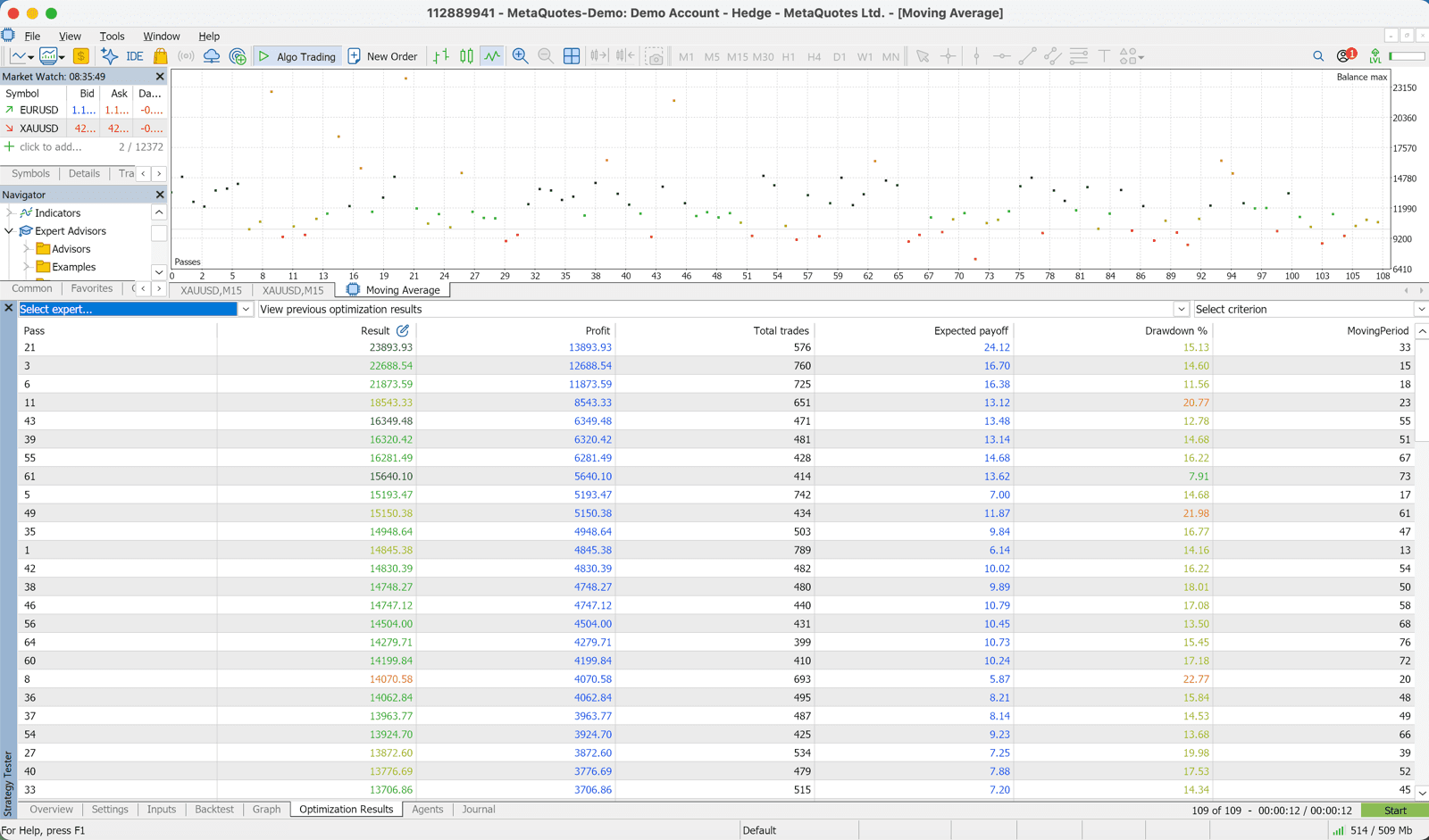
- 5
Review Results
After optimization is complete, the 'Optimization' tab shows a list of results for each combination. Sort by Sharpe Ratio or Net Profit to review the top combinations.
What is Overfitting?
Overfitting is a phenomenon where an EA becomes over-optimized to historical backtest data and completely stops working in actual markets.
For example, even if you get wonderful backtest results with very specific parameters like FastEMA_Period=23, SlowEMA_Period=47, this was likely just 'fitted too closely' to historical data and may not work in future markets.
• The backtest profit curve is extremely smooth (unnaturally good performance)
• Optimized only for a specific period
• Sensitive to parameter changes — small changes cause large result changes
How to Avoid Overfitting
Conduct Out-of-Sample Testing
Separate the data used for optimization (in-sample) from the data used for verification (out-of-sample). For example, optimize on 2018-2023 data and verify on 2024-2025 data. If good results also appear in the out-of-sample period, effectiveness in actual markets can be expected.
Verify Stability Against Parameter Changes
Confirm that backtest results don't change significantly with parameters near the optimal value. For example, if FastEMA=20 is optimal, it's important that similar results appear with 19 or 21.
Limit the Parameters You Optimize
It's dangerous to optimize all parameters simultaneously. We recommend focusing on the most impactful parameters (risk percentage, EMA periods, etc.).
Optimization Best Practices
- ✓Use 'Max Sharpe Ratio' or 'Max Recovery Factor' rather than 'Max Net Profit' as the optimization criterion
- ✓Use at least 3+ years of data for the optimization period
- ✓Always conduct out-of-sample testing to check for overfitting
- ✓Perform sensitivity analysis (test with values near the optimal)
- ✓After optimization, conduct at least 3 months of demo trading before using a live account
- ✓Consider re-optimizing periodically (every 6-12 months)
Related Blog Posts
10 Common EA Operation Mistakes and How to Avoid Them
Over-optimization, oversized lots, PC shutdowns, and other mistakes beginners fall into, and how to avoid them
Complete Beginner's Guide to Forex Automated Trading EAs [2026 Edition]
Explains 7 steps from checking the backtest to demo operation and going live